Free Shipping on Domestic Orders $75+

Xbox One Wireless Controller 1697 Thumbstick Replacement

What you need

  1. Xbox One Wireless Controller 1697 Thumbstick  Replacement, Thumbstick: step 1, image 1 of 1
    • Slide the battery pack cover toward the top of the controller to remove it.

    • Remove batteries.

    Ask FixBot

    Add Comment

  2. Xbox One Wireless Controller 1697 Thumbstick  Replacement: step 2, image 1 of 2 Xbox One Wireless Controller 1697 Thumbstick  Replacement: step 2, image 2 of 2
    • We recommend using a plastic spudger to prevent damage to your controller. However, using a metal spudger, as shown in the picture, makes the work easier.

    • Hold firmly the controller, place the spudger into the top seam of the controller and carefully work all the way to the bottom.

    • Pry the side of handle away from the controller by moving the spudger back and forth around the side handle's seam.

    • Repeat this process for both side handles.

    Ask FixBot

    Add Comment

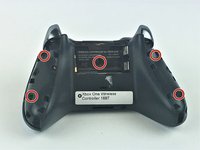
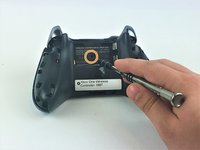
  3. Xbox One Wireless Controller 1697 Thumbstick  Replacement: step 3, image 1 of 2 Xbox One Wireless Controller 1697 Thumbstick  Replacement: step 3, image 2 of 2
    • Using the T8 Security Torxs screwdriver, remove the five 10mm screws from the back of the controller.

    • One of the screws is hidden behind the label.

    • You can punch a hole using a screwdriver or peel off the label.

    Ask FixBot

    Add Comment

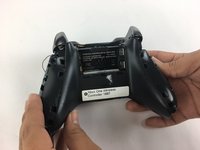
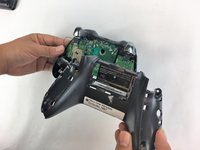
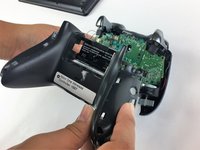
  4. Xbox One Wireless Controller 1697 Thumbstick  Replacement: step 4, image 1 of 3 Xbox One Wireless Controller 1697 Thumbstick  Replacement: step 4, image 2 of 3 Xbox One Wireless Controller 1697 Thumbstick  Replacement: step 4, image 3 of 3
    • Remove the back plate.

    Ask FixBot

    Add Comment

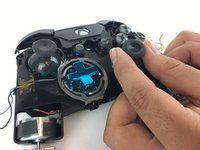
  5. Xbox One Wireless Controller 1697 Thumbstick  Replacement: step 5, image 1 of 1
    • Remove the faceplate

    Ask FixBot

    Add Comment

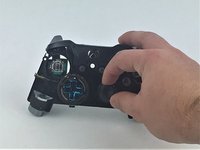
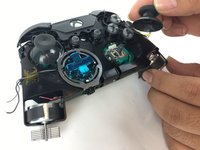
  6. Xbox One Wireless Controller 1697 Thumbstick  Replacement: step 6, image 1 of 3 Xbox One Wireless Controller 1697 Thumbstick  Replacement: step 6, image 2 of 3 Xbox One Wireless Controller 1697 Thumbstick  Replacement: step 6, image 3 of 3
    • Select the thumbstick that you want to replace and pull it off its pole.

    Ask FixBot

    Add Comment

Conclusion

To reassemble your device, follow these instructions in reverse order.

Cancel: I did not complete this guide.

30 other people completed this guide.

Emely

Member since: 09/27/17

920 Reputation

1 Guide authored

Team

USF Tampa, Team S9-G1, Remmell Fall 2017 Member of USF Tampa, Team S9-G1, Remmell Fall 2017

USFT-REMMELL-F17S9G1

4 Members

14 Guides authored

1 Guide Comment

Hello. I have an controller but it isn't working right. The right stick wont register when i push it down. I spilled cola on it. Any tips?

Isak - Reply Share

Add Comment

View Statistics:

Past 24 Hours: 5

Past 7 Days: 36

Past 30 Days: 208

All Time: 27,982