Free Shipping on Domestic Orders $75+

Xbox 360 S PSU Disassembly

What you need

    1. Xbox 360 S PSU Disassembly, Remove Rubber Boots/Screws: step 1, image 1 of 3 Xbox 360 S PSU Disassembly, Remove Rubber Boots/Screws: step 1, image 2 of 3 Xbox 360 S PSU Disassembly, Remove Rubber Boots/Screws: step 1, image 3 of 3
      • Remove rubber boots

      • Remove T10 Screws

      Ask FixBot

      Add Comment

    2. Xbox 360 S PSU Disassembly, Cooling Fan Cable: step 2, image 1 of 2 Xbox 360 S PSU Disassembly, Cooling Fan Cable: step 2, image 2 of 2
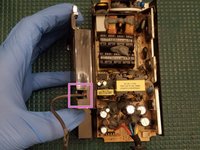
      • Remove the top shell, flip it over, and place next to lower shell

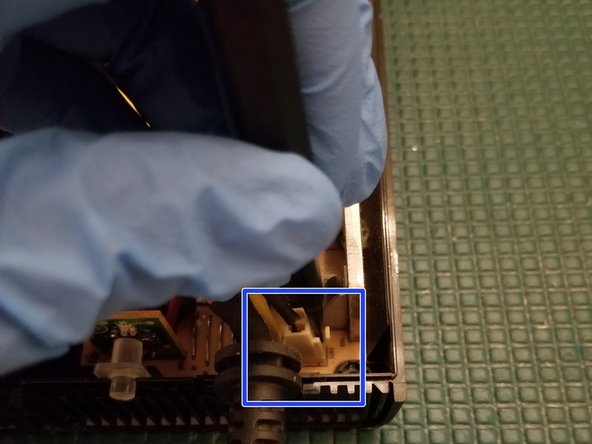
      • The two halves are connected together via the cooling fan wire. BE GENTLE when separating them

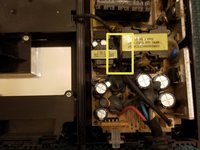
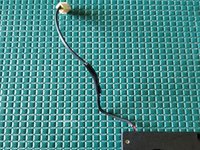
      • In typical Microsoft fashion, they've made it complicated to remove the fan wire. Not only is it wedged between two transistors it's also adhered with an epoxy like substance.

      • Using a craft knife, carefully cut through the epoxy to get the cable free. Work slowly and carefully. The thick substance and awkward angles make this a slightly tedious process

      • Be VERY CAREFUL. You can easily cut the cable here accidentally. If you cut your red/black wires you'll have to patch them. "Slow is smooth, smooth is fast"

      Ask FixBot

      Add Comment

    3. Xbox 360 S PSU Disassembly, Cooling Fan Assembly: step 3, image 1 of 3 Xbox 360 S PSU Disassembly, Cooling Fan Assembly: step 3, image 2 of 3 Xbox 360 S PSU Disassembly, Cooling Fan Assembly: step 3, image 3 of 3
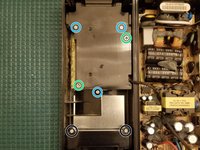
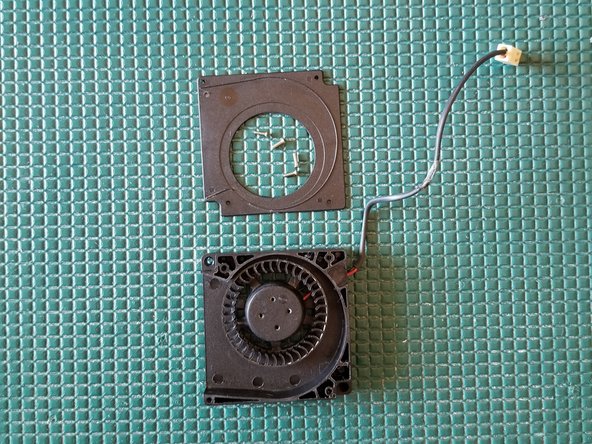
      • Remove PH2 screws

      • Remove PH1 screws

      • Removal unnecessary

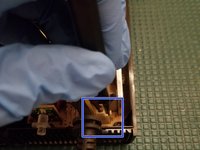
      • Disconnect cooling fan plug

      • Pull wire through

      Ask FixBot

      Add Comment

    4. Xbox 360 S PSU Disassembly, Fan Disassembly: step 4, image 1 of 3 Xbox 360 S PSU Disassembly, Fan Disassembly: step 4, image 2 of 3 Xbox 360 S PSU Disassembly, Fan Disassembly: step 4, image 3 of 3
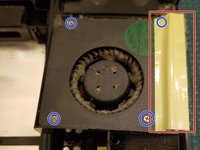
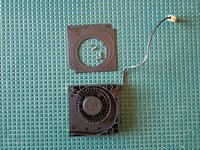
      • Remove tape in order to remove fan from its housing unit. This also uncovers a hidden screw.

      • Remove 4 PH0 screws

      • Tape will need to be replaced during reassembly. Electrical or kaptom tape will suffice

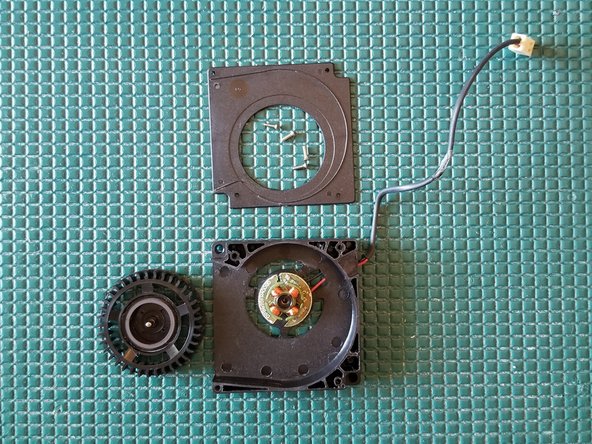
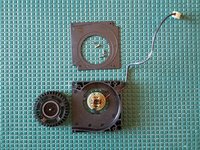
      • Take note of the amount of filth collected on this fan. Inadequate cooling could kill your supply, or worse, become a fire hazard

      • Remove fan upper housing plate

      • Gently lift the fan up and over the post

      Ask FixBot

      Add Comment

    5. Xbox 360 S PSU Disassembly, Fan Model Info: step 5, image 1 of 1
      • Fan model info in case you need to search out new parts

      Ask FixBot

      Add Comment

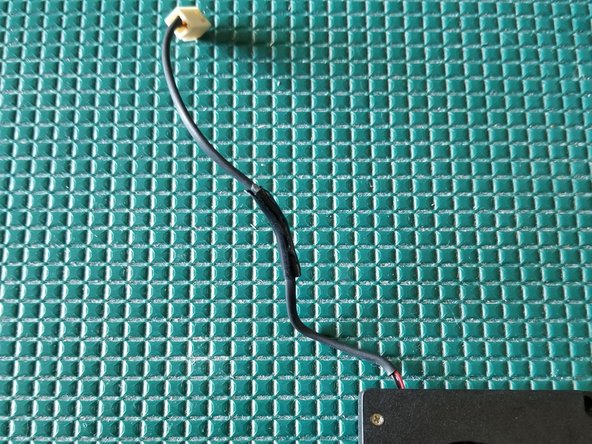
    6. Xbox 360 S PSU Disassembly, Repair Fan Cable If Necessary: step 6, image 1 of 2 Xbox 360 S PSU Disassembly, Repair Fan Cable If Necessary: step 6, image 2 of 2
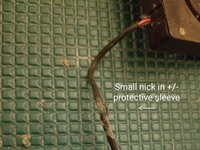
      • The fans +/- wires are covered by a thin protective sleeve.

      • Apply some electrical or kaptom tape to patch it if necessary.

      • Initially I tried to use shrink tubing here but the smallest diameter I could get around the plug was a 3/8" tube which will not properly seal around the cable when heated

      • If you accidentally cut through the entire cable (+/- wires) you'll have to resolder them together and cover with shrink tubing.

      Ask FixBot

      Add Comment

    7. Xbox 360 S PSU Disassembly, Underside Of PCB: step 7, image 1 of 1
      • Remove PCB from lower shell and place face down

      • The metal shield must be removed in order to expose the bottom of the power supply PCB

      • To quickly and safely remove I suggest using ChipQuik on the 2 single sided through holes. Alternatively you can use solder wick

      Ask FixBot

      Add Comment

Conclusion

To reassemble your device, follow these instructions in reverse order.

Cancel: I did not complete this guide.

34 other people completed this guide.

Navy Vet 2015

Member since: 06/25/15

8,357 Reputation

15 Guides authored

3 Guide Comments

If anyone else is wondering how to turn on the 12V supply, you short the 2 small center pins together. The outer rings are ground, and the inner rings are the +12V. The two small pins are the +5Vsb and the 12V enable pin, which turns on the 12V when pulled up to 5V

kjkj kjkjk - Reply Share

Greetings, friend. Hey, I have an Xbox 360 Slim power supply that outputs 16V at 12V. Any suggestions? The power supply is an A10-120N1A board, A120R001L.

Alpacino - Reply Share

Hola, amigo. Tengo una fuente de alimentación para Xbox 360 Slim que genera 16 V a 12 V. ¿Alguna sugerencia? La fuente de alimentación es una placa A10-120N1A, A120R001L.

Alpacino - Reply Share

Add Comment

View Statistics:

Past 24 Hours: 15

Past 7 Days: 80

Past 30 Days: 406

All Time: 18,634