
Wyze Cam V2 Back Panel Replacement

Kristen Gismondi and 2 other contributors
Last updated on May 13, 2024
Views: 716
View statistics:
- Past 24 Hours:
- 2
- Past 7 Days:
- 12
- Past 30 Days:
- 68
- All Time:
- 716
Comments: 0
No one has left comments on this guide. Will you be first?
Go to guide commentsCompleted: 0 1
No one has marked this guide "completed." Will you be the first?
1 person has marked this guide "completed." It's you — great job!
Favorites: 0 1
No one has favorited (and subscribed to) this guide. Will you be the first?
1 person has favorited (and subscribed to) this guide — and that's you!
Action Shots
Be an action hero! This guide needs images that better demonstrate how to perform specific actions.
Needs More Images
A few more images would make this guide's procedures crystal clear.
Better Introduction
Improve this guide by completing or revising its introduction.
Missing Details
Some of this guide's details are missing. Help users by adding tools, difficulty, or time.
What you need
Tools


-
-
-
Open up the camera stand to expose the bottom plate of the camera.
-
Remove two 4 mm silver screws using the Phillips #0 screwdriver.
 Ask FixBot
-
-
-
Using the iFixit opening tool, carefully pry open the bottom plate to gain access to the camera's internals.
-
-
-
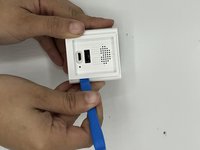
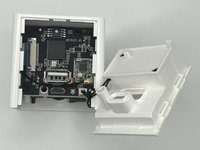
Open up the back panel using the iFixit opening tool and unclip the panel from the rest of the device.
-
-
-
Tool used on this step:Tweezers$3.99
-
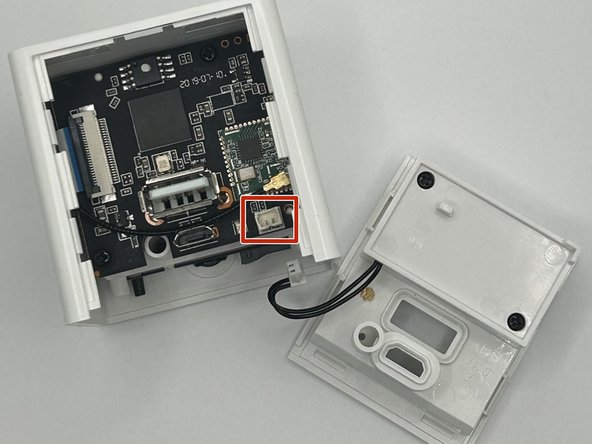
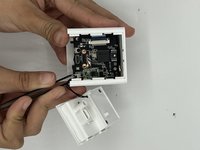
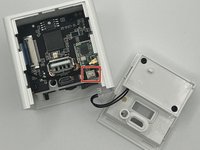
Using the angled slim tweezers, disconnect the cord and pull it gently off of the motherboard.
-
-




To reassemble your device, follow these instructions in reverse order.


