
WowWee MiP Robot Tire Replacement

Moira Keahon and 8 other contributors
Last updated on May 19, 2016
Views: 7K
View statistics:
- Past 24 Hours:
- 1
- Past 7 Days:
- 16
- Past 30 Days:
- 97
- All Time:
- 6,988
Comments: 3
2 comments on steps, 1 guide comment.
Go to guide commentsCompleted: 5 6
5 people have marked this guide "completed." Will you be next?
6 people have marked this guide "completed." Including you — great job!
Favorites: 0 1
No one has favorited (and subscribed to) this guide. Will you be the first?
1 person has favorited (and subscribed to) this guide — and that's you!
Introduction
Go to step 1 ↓This guide is designed to help users remove MiP’s wheels. MiP has two wheels that are connected to its body with screws. If the wheels need replacement or cleaning, follow this guide.
What you need
Tools


-
-
-
Use a metal spudger to carefully pry off the hubcap without marring the plastic wheel or hubcap.
 Ask FixBot
-
-
-
-
-
-
Separate the rubber tire from the rim.
-
Push the collar out to separate the plastic layers of the wheel.
-


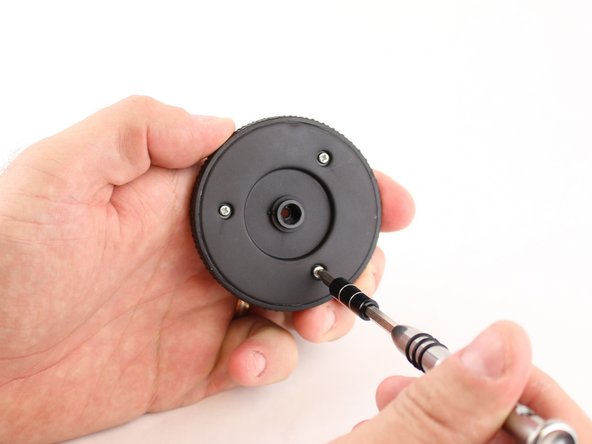
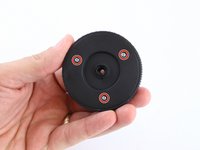
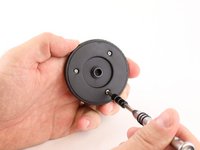


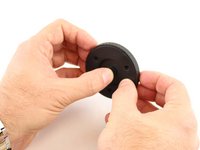
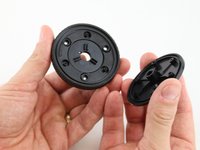
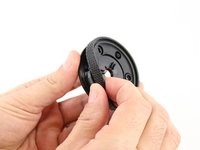
To reassemble your device, follow these instructions in reverse order.
Cancel: I did not complete this guide.
5 other people completed this guide.

Team

University of Maine, Team 1-50, Diaz Fall 2014 Member of University of Maine, Team 1-50, Diaz Fall 2014
UMAINE-DIAZ-F14S1G50
3 Members
36 Guides authored
