This translation was generated by a machine and has not been reviewed by a person yet. Speak this language? Review it.
Introduction
This guide shows you how to replace the left cooling fan of a why! NV41MZ.
What you need
-
-
-
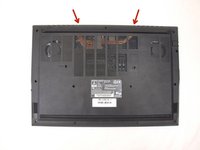
Remove the 14 screws securing the bottom case to the laptop.
-
Unclip the case by sliding a plastic spudger into the slots in the case.
-
Remove the bottom case.
 Ask FixBot
-
-
-
-
-
-
Remove the two Phillips screws securing the left CPU fan to the chassis.
-
Peel off the mounting tape.
-
Unplug the fan cable from the motherboard.
-
-




Conclusion
To reassemble your device, follow the instructions in reverse order.
Special thanks to these translators:
fr en
100%

Jerry Wheeler is helping us fix the world! Want to contribute?
Start translating ›

