Free Shipping on Domestic Orders $75+

This translation may not reflect the most recent updates from the source guide. Help update the translation or view the source guide.

Why! NH57ADS CPU Replacement

What you need

  1. Why! NH57ADS CPU Replacement, Battery: step 1, image 1 of 3 Why! NH57ADS CPU Replacement, Battery: step 1, image 2 of 3 Why! NH57ADS CPU Replacement, Battery: step 1, image 3 of 3
    • Remove the two screws holding the battery in place.

    • Slip your finger into the finger hole provided at the top of the battery.

    • ...and lift to remove it

    Ask FixBot

    Add Comment

  2. Why! NH57ADS CPU Replacement, Bottom Cover: step 2, image 1 of 3 Why! NH57ADS CPU Replacement, Bottom Cover: step 2, image 2 of 3 Why! NH57ADS CPU Replacement, Bottom Cover: step 2, image 3 of 3
    • Remove the five Phillips screws securing the bottom to the case.

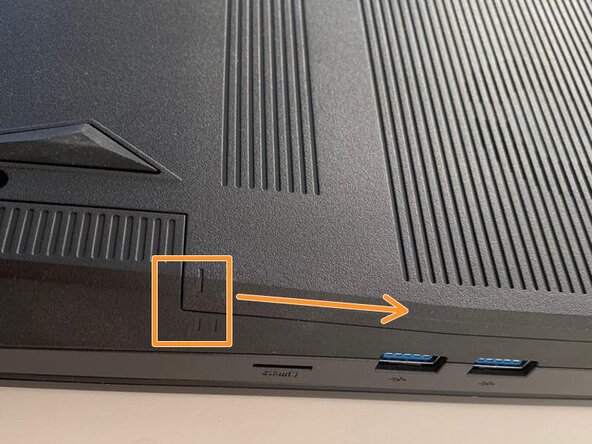
    • Slide the cover up slightly to release the clips holding it in place. This is the view on the right. The mark on the cover should now line up with the second mark on the case of the computer.

    Ask FixBot

    Add Comment

  3. Why! NH57ADS CPU Replacement, Removing the Bottom Cover: step 3, image 1 of 3 Why! NH57ADS CPU Replacement, Removing the Bottom Cover: step 3, image 2 of 3 Why! NH57ADS CPU Replacement, Removing the Bottom Cover: step 3, image 3 of 3
    • This is the view on the left before and after sliding the cover. The mark on the cover should now line up with the second mark on the case of the computer.

    • Slide the bottom cover to remove it.

    Ask FixBot

    Add Comment

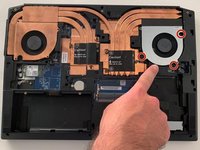
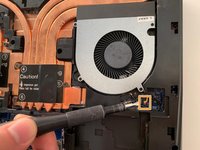
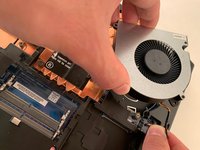
  4. Why! NH57ADS CPU Replacement, Fan: step 4, image 1 of 3 Why! NH57ADS CPU Replacement, Fan: step 4, image 2 of 3 Why! NH57ADS CPU Replacement, Fan: step 4, image 3 of 3
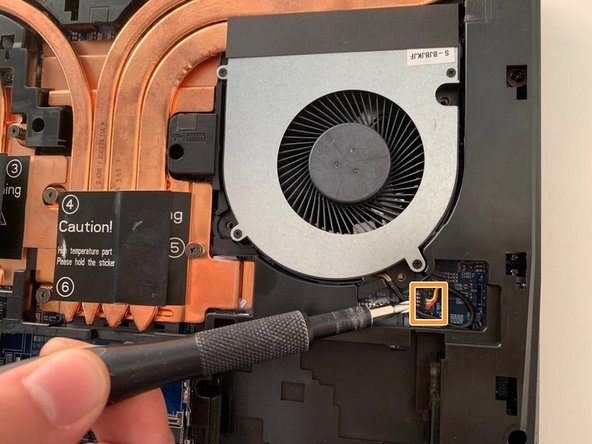
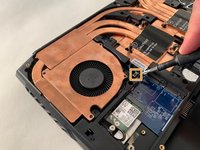
    • Remove the three Phillips screws securing the fan on the right.

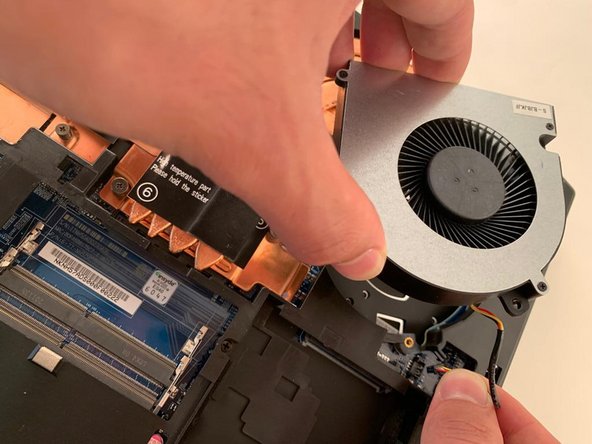
    • Carefully unplug the fan's power connector.

    • Remove the first fan.

    Ask FixBot

    Add Comment

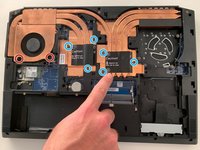
  5. Why! NH57ADS CPU Replacement, Fan and Heatsink Assembly: step 5, image 1 of 3 Why! NH57ADS CPU Replacement, Fan and Heatsink Assembly: step 5, image 2 of 3 Why! NH57ADS CPU Replacement, Fan and Heatsink Assembly: step 5, image 3 of 3
    • Remove the two Phillips screws securing the left hand fan.

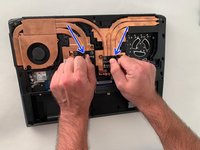
    • Remove the six Phillips heatsink retaining screws .

    • Carefully unplug the fan's power connector.

    • Using the two black tabs as handles, lift and remove the heatsink.

    Ask FixBot

    Add Comment

  6. Why! NH57ADS CPU Replacement, CPU: step 6, image 1 of 3 Why! NH57ADS CPU Replacement, CPU: step 6, image 2 of 3 Why! NH57ADS CPU Replacement, CPU: step 6, image 3 of 3
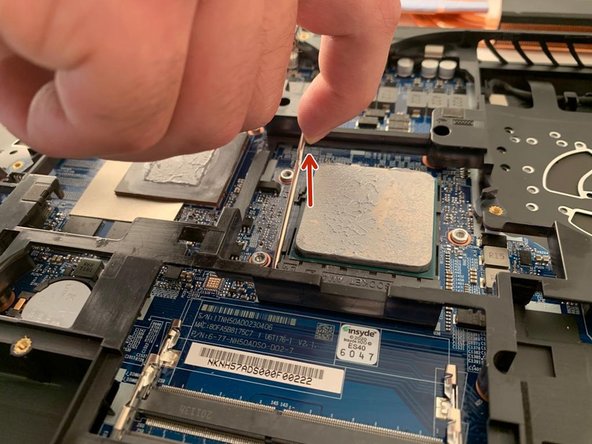
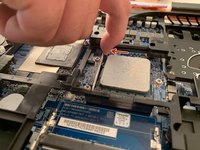
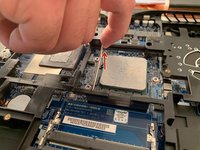
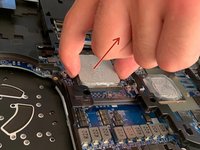
    • Carefully pull the metal bar away from the processor to free it from under the retaining tab, then lift it to release the processor pins.

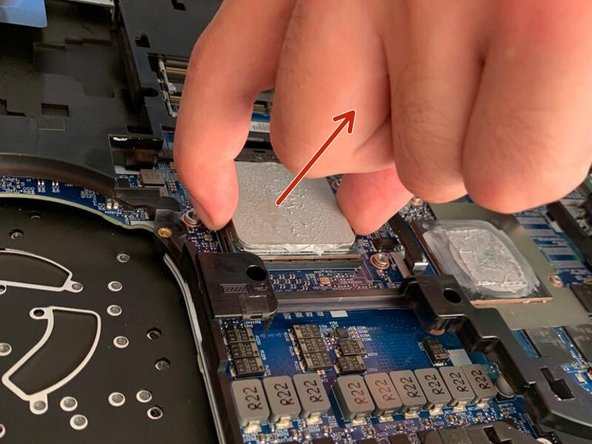
    • Gently remove the processor by lifting it straight up.

    Ask FixBot

    Add Comment

Conclusion

To reassemble your device, follow the instructions in reverse order.

Cancel: I did not complete this guide.

Special thanks to these translators:

fr en

75%

These translators are helping us fix the world! Want to contribute?
Start translating ›

Felice Suglia

Member since: 06/15/13

33,589 Reputation

283 Guides authored

0 Guide Comments

Add Comment

View Statistics:

Past 24 Hours: 0

Past 7 Days: 15

Past 30 Days: 46

All Time: 593