Free Shipping on Domestic Orders $75+

Wen 2307 Power Cable Replacement

Views: 985

View statistics:

Past 24 Hours:
5
Past 7 Days:
30
Past 30 Days:
104
All Time:
985
Comments: 0

No one has left comments on this guide. Will you be first?

Go to guide comments
Completed: 0

No one has marked this guide "completed." Will you be the first?

Favorites: 0

No one has favorited (and subscribed to) this guide. Will you be the first?

Time Required: 10 minutes
Difficulty: Easy
Wen 2307 Power Cable Replacement

Introduction

Go to step 1 ↓

If your device is not powering on your power cable may be damaged. If it needs to be replaced this guide will show you how.

What you need

Tools

    1. Wen 2307 Power Cable Replacement, Front Panel: step 1, image 1 of 1
      • Unscrew the locking sleeve.

      Ask FixBot

      Add Comment

    2. Wen 2307 Power Cable Replacement: step 2, image 1 of 1
      • Remove the hanging clip.

      Ask FixBot

      Add Comment

    3. Wen 2307 Power Cable Replacement: step 3, image 1 of 2 Wen 2307 Power Cable Replacement: step 3, image 2 of 2
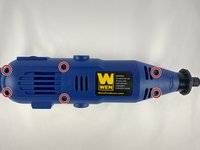
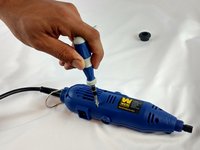
      • Unscrew the six 8mm PH2 screws.

      Ask FixBot

      Add Comment

    4. Wen 2307 Power Cable Replacement: step 4, image 1 of 1
      • While pressing the spindle lock button, unscrew the collet nut and remove it along with the brass collet.

      Ask FixBot

      Add Comment

    5. Wen 2307 Power Cable Replacement: step 5, image 1 of 1
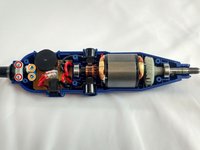
      • To remove the front panel, pry the device apart while holding the device with the other hand.

      • The front panel should come out easily.

      Ask FixBot

      Add Comment

    1. Wen 2307 Power Cable Replacement, Power Cable: step 6, image 1 of 2 Wen 2307 Power Cable Replacement, Power Cable: step 6, image 2 of 2
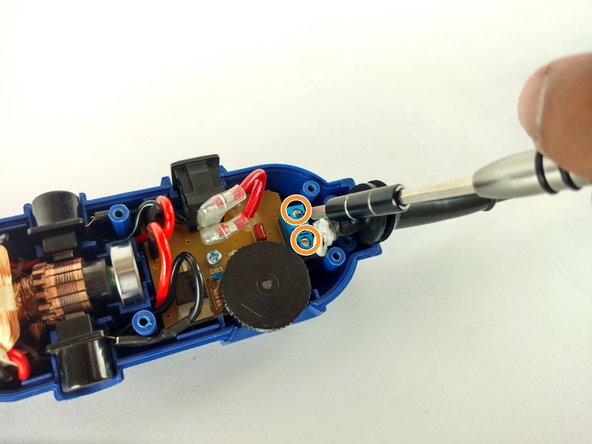
      • Identify the screws.

      • Unscrew the two 3mm phillips PH2.

      • Don't forget to put them appart from the ones unscrewed before.

      • Don't forget to put them appart from the ones unscrewed before.

      • Phillips PH2

      • Flathead 2.5mm

      Ask FixBot

      Add Comment

    2. Wen 2307 Power Cable Replacement: step 7, image 1 of 1
      • Remove the place boar carefully.

      Ask FixBot

      Add Comment

    3. Wen 2307 Power Cable Replacement: step 8, image 1 of 1
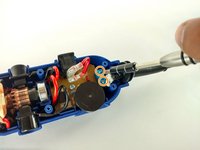
      • Pull out the power cable connectors.

      Ask FixBot

      Add Comment

    4. Wen 2307 Power Cable Replacement: step 9, image 1 of 1
      • Pull out the cord sleve for the new cable replacement.

      Ask FixBot

      Add Comment

Conclusion

To reassemble your device, follow these instructions in reverse order.

Cancel: I did not complete this guide.

Sergio Palacio

Member since: 02/08/16

458 Reputation

2 Guides authored

Team

USF Tampa, Team 12-1, Eyestone Spring 2016 Member of USF Tampa, Team 12-1, Eyestone Spring 2016

USFT-EYESTONE-S16S12G1

4 Members

72 Guides authored

0 Guide Comments

Add Comment

View Statistics:

Past 24 Hours: 5

Past 7 Days: 30

Past 30 Days: 104

All Time: 985