Introduction
This guide will show you how to refill the dancing water speakers through the bottom water plug. These water speakers have a tendency to leak through the bottom water plug. This guide will show you step-by-step how to take the speakers apart so you can replace the water plug with super glue. The reason why we replace it with super glue is the glue works to seal the hole a lot more effectively and it's a simple process.
What you need
-
-
-
You will need to have a clean work space, water dancing speakers, super glue, mineral water, and Phillips screw driver ready.
 Ask FixBot
-
-
-
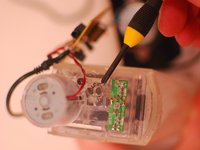
Using the phillips screw driver remove the 4 screws seen on the back of speakers.
-
-
-
-
Once the four screws are taken out you will need to slide the bottom piece from the water canister.
-
When the two are separated set the water canister bottom facing up.
-
-
-
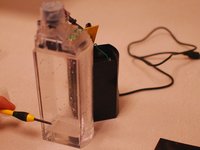
On the bottom of the water canister you will see a hole where the water was inserted. There will be a black plug covering the hole.
-
Using your screw driver you can pry the plug out.
-
Once the plug is taken out you can refill the speakers. Only refill the speakers with one inch of water.
-
-
-
After the water is filled to approximately one inch. Super glue the hole shut and let dry.
-
-
-
When the glue is dry slide speaker back on to water canister.
-
Once they are put together place back panel on and insert the four screws.
-
repeat steps 2 through 6 on second speaker.
-
-




Your water dancing speakers are now ready for use. Thank you for using this guide.
Cancel: I did not complete this guide.
48 other people completed this guide.

36 Guide Comments
the pump is defective how to replace
anpicard@videotron.ca
I couldnt get plug out either so I drilled a hole in back and filled it with mineral water and sealed it with a small strip of scotch tape and duct tape on top of that in case I had to get back in. It works, but now it looks different. Sometimes the water clings to the inside and it looks a little foggy. Is it mineral water, or mineral oil? If it leaks again I'll prob try the oil.
The original liquid has a lower surface tension than water. I used odorless mineral spirits.
If the pump is noisy, try a drop of oil in the motor.
