Free Shipping on Domestic Orders $75+

Wahl Professional Designer Power Switch Replacement

What you need

    1. Wahl Professional Designer Power Switch Replacement, Power Switch: step 1, image 1 of 2 Wahl Professional Designer Power Switch Replacement, Power Switch: step 1, image 2 of 2
      • Unscrew the 12 mm Phillips head screws located at the top of the cover and at the bottom two corners, using a Phillips #1 Screwdriver.

      Ask FixBot

      Add Comment

    2. Wahl Professional Designer Power Switch Replacement: step 2, image 1 of 2 Wahl Professional Designer Power Switch Replacement: step 2, image 2 of 2
      • Unscrew the two black 5.556 mm Phillip head screw on the power switch with a Phillips #0 Screwdriver.

      Ask FixBot

      Add Comment

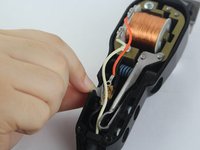
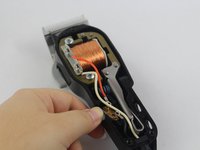
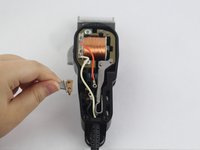
    3. Wahl Professional Designer Power Switch Replacement: step 3, image 1 of 3 Wahl Professional Designer Power Switch Replacement: step 3, image 2 of 3 Wahl Professional Designer Power Switch Replacement: step 3, image 3 of 3
      • Shimmy the power switch off the mount until it is completely removed.

      Ask FixBot

      Add Comment

Conclusion

To reassemble your device, follow these instructions in reverse order.

Cancel: I did not complete this guide.

Sophia Swearengin

Member since: 09/26/17

814 Reputation

5 Guides authored

Team

USF Tampa, Team S14-G5, Boczar Fall 2017 Member of USF Tampa, Team S14-G5, Boczar Fall 2017

USFT-BOCZAR-F17S14G5

2 Members

60 Guides authored

1 Guide Comment

Hello Mrs/ms Swearengin, I’m disassembled my Wahl desingner I’m unable to make the power switch stiff . It’s very loose I can’t recall which screw goes in between two black 5.556 mm Phillip head screw or if it needs a screw at all

Carlos Olvera - Reply Share

Add Comment

View Statistics:

Past 24 Hours: 0

Past 7 Days: 6

Past 30 Days: 32

All Time: 1,009