Free Shipping on Domestic Orders $75+

Wahl Professional Designer Motor Replacement

What you need

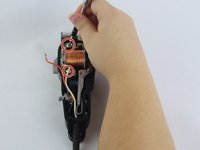
    1. Wahl Professional Designer Motor Replacement, Motor: step 1, image 1 of 2 Wahl Professional Designer Motor Replacement, Motor: step 1, image 2 of 2
      • Unscrew the 12 mm Phillips head screws located at the top of the cover and at the bottom two corners, using a Phillips #1 Screwdriver.

      Ask FixBot

      Add Comment

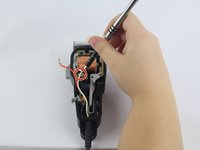
    2. Wahl Professional Designer Motor Replacement: step 2, image 1 of 3 Wahl Professional Designer Motor Replacement: step 2, image 2 of 3 Wahl Professional Designer Motor Replacement: step 2, image 3 of 3
      • Remove the wires connected to the motor by firmly grasping both sides of a wire and wiggling until it is released.

      Ask FixBot

      Add Comment

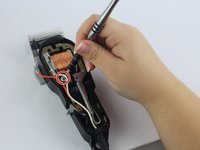
    3. Wahl Professional Designer Motor Replacement: step 3, image 1 of 3 Wahl Professional Designer Motor Replacement: step 3, image 2 of 3 Wahl Professional Designer Motor Replacement: step 3, image 3 of 3
      • Unscrew the two 20.5 mm Phillip head screw located on the motor using a Phillip's #1 screwdriver.

      Ask FixBot

      Add Comment

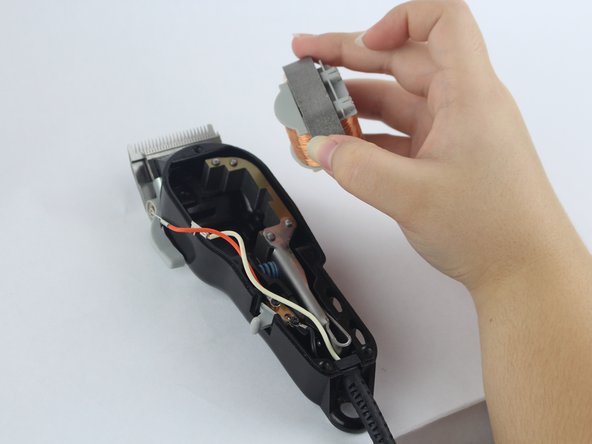
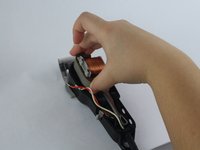
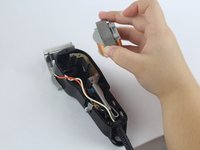
    4. Wahl Professional Designer Motor Replacement: step 4, image 1 of 2 Wahl Professional Designer Motor Replacement: step 4, image 2 of 2
      • Gently remove the motor from the device.

      Ask FixBot

      Add Comment

Conclusion

To reassemble your device, follow these instructions in reverse order.

Cancel: I did not complete this guide.

3 other people completed this guide.

Sophia Swearengin

Member since: 09/26/17

814 Reputation

5 Guides authored

Team

USF Tampa, Team S14-G5, Boczar Fall 2017 Member of USF Tampa, Team S14-G5, Boczar Fall 2017

USFT-BOCZAR-F17S14G5

2 Members

60 Guides authored

0 Guide Comments

Add Comment

View Statistics:

Past 24 Hours: 0

Past 7 Days: 5

Past 30 Days: 43

All Time: 1,721