
Vtech Emil the Panda

Schwarzstein and 2 other contributors
Last updated on May 12, 2019
Views: 1.5K
View statistics:
- Past 24 Hours:
- 3
- Past 7 Days:
- 26
- Past 30 Days:
- 122
- All Time:
- 1,476
Comments: 0
No one has left comments on this guide. Will you be first?
Go to guide commentsCompleted: 1 2
1 person has marked this guide "completed." Will you be next?
2 people have marked this guide "completed." Including you — great job!
Favorites: 0 1
No one has favorited (and subscribed to) this guide. Will you be the first?
1 person has favorited (and subscribed to) this guide — and that's you!
Community-Contributed Guide
An awesome member of our community made this guide. It was not created by iFixit staff.
Introduction
Go to step 1 ↓When Emil won't work well, deoxidize the springs.
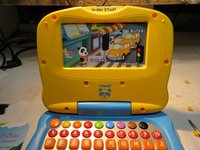
Emil is a talking baby-laptop which works with cards, that have holes which trigger the programs.
When the spring sensors are oxidized, the cards can't work and the programs don't start.
So you must deoxidize the contacts at the springs.
What you need
Tools

-
-
-
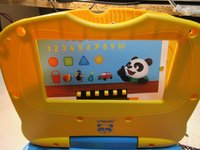
First you must detach thes round yellow plugs which cover the screws.
-
There are 6 short screws around the "display"
-
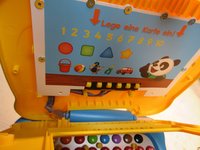
...and two longer screws under that "display"
 Ask FixBot
-
-
-
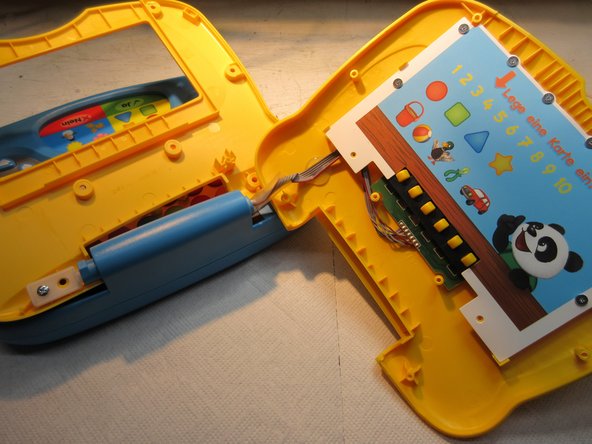
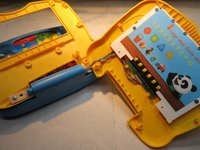
Now just pull it to open.
-
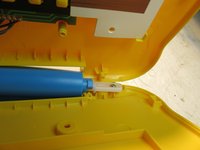
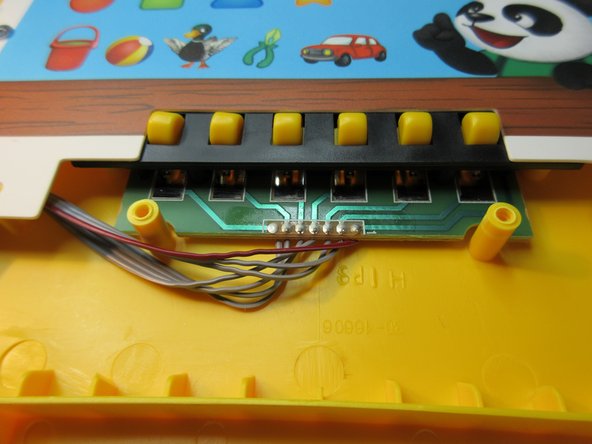
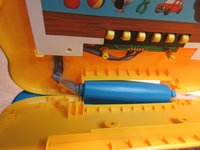
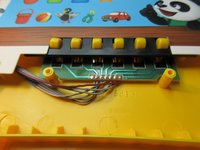
Down there is a spring and a plastic part, look at the pictures
-
-
-
-
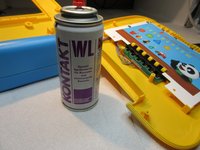
The springs are deoxidized with a electronics-cleaner-spray.
-
After reassembling, Emil nnow knows every card and can talk and sing.
-
Done. :)
-
-





To reassemble your device, follow these instructions in reverse order.
Cancel: I did not complete this guide.
One other person completed this guide.

