
Visual Land Prestige 7G Backplate Replacement

Anna Anderson and 4 other contributors
Last updated on Dec 27, 2023
Views: 365
View statistics:
- Past 24 Hours:
- 1
- Past 7 Days:
- 10
- Past 30 Days:
- 57
- All Time:
- 365
Comments: 0
No one has left comments on this guide. Will you be first?
Go to guide commentsCompleted: 0 1
No one has marked this guide "completed." Will you be the first?
1 person has marked this guide "completed." It's you — great job!
Favorites: 0 1
No one has favorited (and subscribed to) this guide. Will you be the first?
1 person has favorited (and subscribed to) this guide — and that's you!
Introduction
Go to step 1 ↓This is a guide to help assist anyone who may need help removing the backplate off of their Prestige 7G tablet. You can remove the backplate from a device if it is damaged, as it is a key part of a device that helps with holding the cooler and prevents the motherboard from bending. There are no special skills required to complete this replacement.
What you need
Tools


-
-
-
Lay your device face-down.
-
Use a Phillips #000 screwdriver to remove the two 4 mm screws next to the AUX port and microphone.
 Ask FixBot
-
-
-


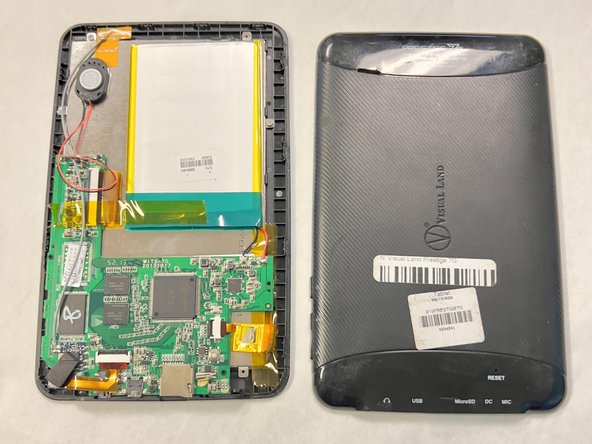
For reassembly, follow the steps backward and screw the device shut.

Team

University of North Texas, Team 1-1, Kilpatrick Fall 2023 Member of University of North Texas, Team 1-1, Kilpatrick Fall 2023
UNT-KILPATRICK-F23S1G1
4 Members
60 Guides authored
