Free Shipping on Domestic Orders $75+

Victrola Century Record Player Stylus/Needle Replacement

What you need

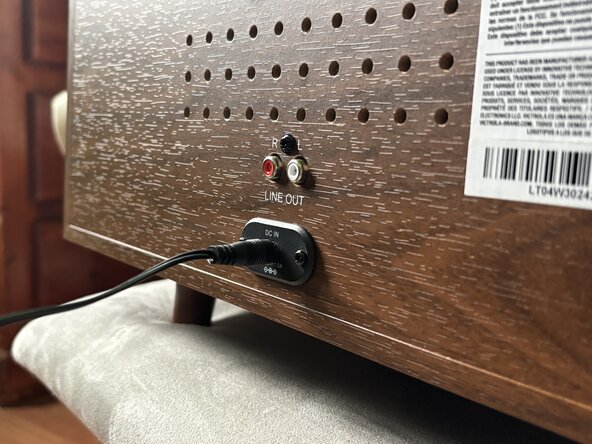
  1. Victrola Century Record Player Stylus/Needle Replacement, Stylus: step 1, image 1 of 3 Victrola Century Record Player Stylus/Needle Replacement, Stylus: step 1, image 2 of 3 Victrola Century Record Player Stylus/Needle Replacement, Stylus: step 1, image 3 of 3
    • Disconnect all cables.

    • MAKE SURE THE RECORD PLAYER IS TURNED OFF.

    Ask FixBot
  2. Victrola Century Record Player Stylus/Needle Replacement: step 2, image 1 of 3 Victrola Century Record Player Stylus/Needle Replacement: step 2, image 2 of 3 Victrola Century Record Player Stylus/Needle Replacement: step 2, image 3 of 3
    • Unplug the power cable.

    • MAKE SURE THE POWER IS OFF.

    Ask FixBot
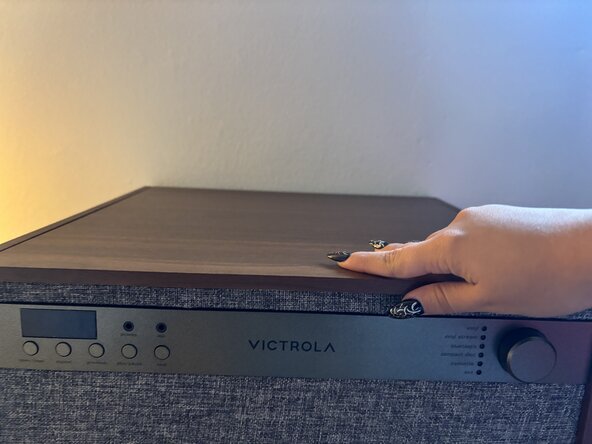
  3. Victrola Century Record Player Stylus/Needle Replacement, Front view of opening the record player's top: step 3, image 1 of 3 Victrola Century Record Player Stylus/Needle Replacement, Front view of opening the record player's top: step 3, image 2 of 3 Victrola Century Record Player Stylus/Needle Replacement, Front view of opening the record player's top: step 3, image 3 of 3
    • Open the top of the record player.

    Ask FixBot
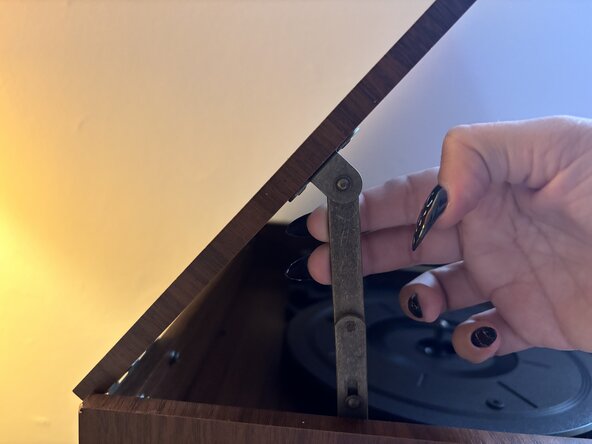
  4. Victrola Century Record Player Stylus/Needle Replacement: step 4, image 1 of 3 Victrola Century Record Player Stylus/Needle Replacement: step 4, image 2 of 3 Victrola Century Record Player Stylus/Needle Replacement: step 4, image 3 of 3
    • Pull the hinge forward to lock it in place so the lid stays open.

    • Do not put your fingers in the hole—you could get pinched.

    Ask FixBot
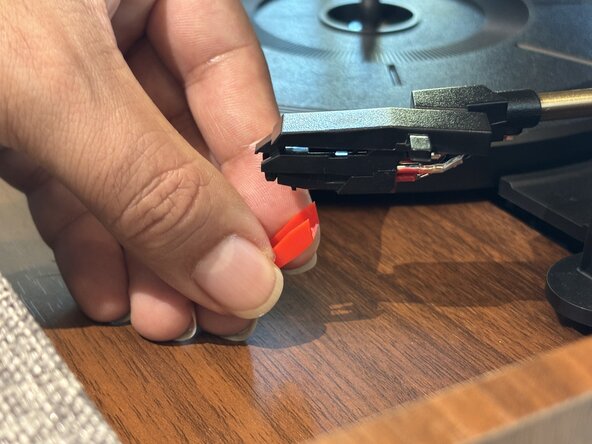
  5. Victrola Century Record Player Stylus/Needle Replacement: step 5, image 1 of 3 Victrola Century Record Player Stylus/Needle Replacement: step 5, image 2 of 3 Victrola Century Record Player Stylus/Needle Replacement: step 5, image 3 of 3
    • Use a spudger to push down on the red cartridge.

    • Pull off the cartridge and stylus.

    Ask FixBot
  6. Victrola Century Record Player Stylus/Needle Replacement: step 6, image 1 of 3 Victrola Century Record Player Stylus/Needle Replacement: step 6, image 2 of 3 Victrola Century Record Player Stylus/Needle Replacement: step 6, image 3 of 3
    • Slide the new cartridge into the headshell and gently press until it clicks into place.

    Ask FixBot
Conclusion

To reassemble your device, follow these instructions in reverse order.

Sofia

Member since: 09/30/25

133 Reputation

1 Guide authored

Team

0 Guide Comments

Add Comment

View Statistics:

Past 24 Hours: 0

Past 7 Days: 4

Past 30 Days: 23

All Time: 204