Free Shipping on Domestic Orders $75+

Velocity Micro Cruz T301 Speakers Replacement

What you need

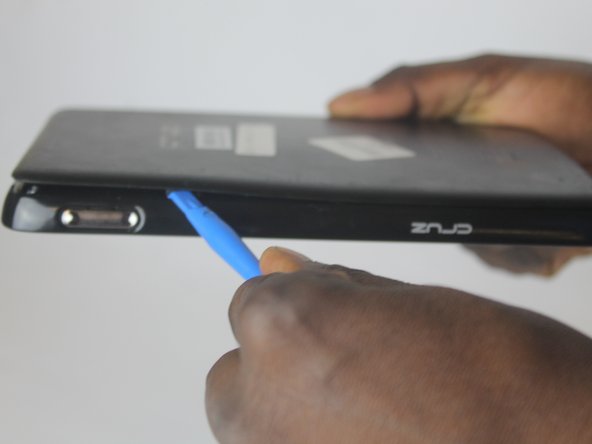
  1. Velocity Micro Cruz T301 Speakers Replacement, Speakers: step 1, image 1 of 1
    • Insert an opening tool in the SD port, with the edge pointing towards the rear panel.

    • Use the opening tool to pry the back plate up.

    Ask FixBot
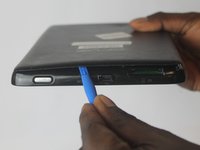
  2. Velocity Micro Cruz T301 Speakers Replacement: step 2, image 1 of 1
    • Insert a second opening tool into the space created by the first opening tool.

    Ask FixBot
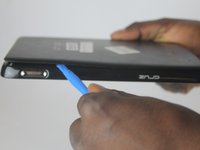
  3. Velocity Micro Cruz T301 Speakers Replacement: step 3, image 1 of 1
    • Remove the first opening tool.

    Ask FixBot
  4. Velocity Micro Cruz T301 Speakers Replacement: step 4, image 1 of 2 Velocity Micro Cruz T301 Speakers Replacement: step 4, image 2 of 2
    • Slide the opening tool across the back plate to disconnect the clips joining the plate to the tablet.

    Ask FixBot
  5. Velocity Micro Cruz T301 Speakers Replacement: step 5, image 1 of 1
    • Remove the four screws in the metal plate covering the battery using a Phillips #0 screwdriver.

    Ask FixBot
  6. Velocity Micro Cruz T301 Speakers Replacement: step 6, image 1 of 1
    • Using a plastic spudger to remove the battery connector.

    • Failure to follow this step may result in an electric shock.

    Ask FixBot
  7. Velocity Micro Cruz T301 Speakers Replacement: step 7, image 1 of 1
    • Remove the battery with a spudger.

    • The photos in this guide use a metal spudger. Do not use a metal spudger as it can damage the device or conduct electricity causing a shock.

    Ask FixBot
  8. Velocity Micro Cruz T301 Speakers Replacement: step 8, image 1 of 1
    • Remove the twelve screws in the cover with a Phillips #0 screwdriver.

    Ask FixBot
  9. Velocity Micro Cruz T301 Speakers Replacement: step 9, image 1 of 1
    • Place a spudger between the tablet base and the screen.

    • Again this photo shows the use of a metal spudger. The use of a metal spudger can cause damage to the device and can lead to an electric shock.

    Ask FixBot
  10. Velocity Micro Cruz T301 Speakers Replacement: step 10, image 1 of 1
    • Move the spudger around the face to release the clips attached to the tablet base.

    Ask FixBot
  11. Velocity Micro Cruz T301 Speakers Replacement: step 11, image 1 of 1
    • Locate the speaker on the motherboard. Use the plastic spudger to disconnect the speaker from the connection port.

    • Plug the new speaker into the port, then use the plastic spudger to gently push it in.

    Ask FixBot
Conclusion

To reassemble your device, follow these instructions in reverse order.

Ali Rashid Al Araimi

Member since: 10/05/16

371 Reputation

3 Guides authored

Team

USF Tampa, Team 1-6, Cagle Fall 2016 Member of USF Tampa, Team 1-6, Cagle Fall 2016

USFT-CAGLE-F16S1G6

3 Members

5 Guides authored

0 Guide Comments

Add Comment

View Statistics:

Past 24 Hours: 0

Past 7 Days: 4

Past 30 Days: 36

All Time: 284