Free Shipping on Domestic Orders $75+

This translation was generated by a machine and has not been reviewed by a person yet. Speak this language? Review it.

Velleman DVM020 Multimeter Battery Replacement

Views: 202

View statistics:

Past 24 Hours:
1
Past 7 Days:
8
Past 30 Days:
72
All Time:
202
Comments: 0

No one has left comments on this guide. Will you be first?

Go to guide comments
Completed: 0

No one has marked this guide "completed." Will you be the first?

Favorites: 0

No one has favorited (and subscribed to) this guide. Will you be the first?

Time Required: 5 - 6 minutes
Difficulty: Easy
Community-Contributed Guide

An awesome member of our community made this guide. It was not created by iFixit staff.

Velleman DVM020 Multimeter Battery Replacement

Introduction

Go to step 1 ↓

This guide explains how to replace the batteries in a Velleman DVM020 multimeter.

You may need to replace the batteries if a battery icon appears at the top of the screen, if the display is dim, shows uneven contrast, or if the numbers do not appear correctly when powering on.

What you need

Parts

Tools

    1. Velleman DVM020 Multimeter Battery Replacement, Turn off the multimeter: step 1, image 1 of 2 Velleman DVM020 Multimeter Battery Replacement, Turn off the multimeter: step 1, image 2 of 2
      • Turn off your multimeter.

      • Unplug the test leads from the measurement jacks of your multimeter.

      Ask FixBot

      Add Comment

    2. Velleman DVM020 Multimeter Battery Replacement, Release the edges: step 2, image 1 of 2 Velleman DVM020 Multimeter Battery Replacement, Release the edges: step 2, image 2 of 2
      • Release the edge from the top-left corner.

      • Release the edge from the top-right corner.

      Ask FixBot

      Add Comment

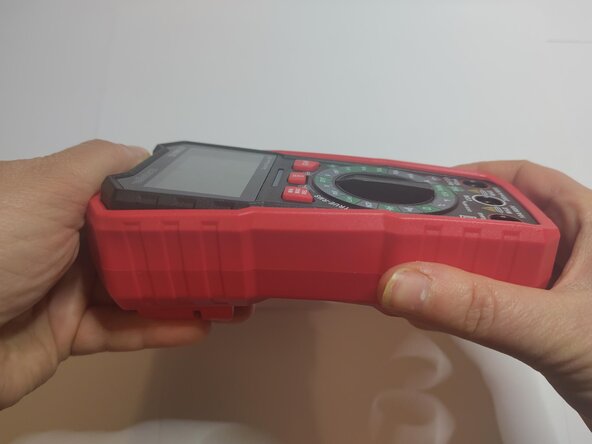
    3. Velleman DVM020 Multimeter Battery Replacement, Remove the multimeter: step 3, image 1 of 3 Velleman DVM020 Multimeter Battery Replacement, Remove the multimeter: step 3, image 2 of 3 Velleman DVM020 Multimeter Battery Replacement, Remove the multimeter: step 3, image 3 of 3
      • Press the case to pop the top of the multimeter out.

      • Remove the multimeter.

      Ask FixBot

      Add Comment

    1. Velleman DVM020 Multimeter Battery Replacement, Unscrew the cover: step 4, image 1 of 1
      • Flip the multimeter over.

      • Unscrew the screw

      Ask FixBot

      Add Comment

    2. Velleman DVM020 Multimeter Battery Replacement, Remove the cover: step 5, image 1 of 3 Velleman DVM020 Multimeter Battery Replacement, Remove the cover: step 5, image 2 of 3 Velleman DVM020 Multimeter Battery Replacement, Remove the cover: step 5, image 3 of 3
      • Lift the tab.

      • Pull the tab up to remove the cover.

      Ask FixBot

      Add Comment

    3. Velleman DVM020 Multimeter Battery Replacement, Remove the batteries: step 6, image 1 of 2 Velleman DVM020 Multimeter Battery Replacement, Remove the batteries: step 6, image 2 of 2
      • Remove the batteries by pushing against the spring and pivoting them upward

      • Pay close attention to the orientation for reinstallation!

      Ask FixBot

      Add Comment

Conclusion

To reassemble your device, follow the instructions in reverse order.

Cancel: I did not complete this guide.

Coco

Member since: 06/09/24

495 Reputation

3 Guides authored

0 Guide Comments

Add Comment

View Statistics:

Past 24 Hours: 1

Past 7 Days: 8

Past 30 Days: 72

All Time: 202