
VTech MobiGo Touch Learning System Screen Replacement

Daniel Kresge and 4 other contributors
Last updated on Aug 5, 2024
Views: 1.4K
View statistics:
- Past 24 Hours:
- 2
- Past 7 Days:
- 15
- Past 30 Days:
- 90
- All Time:
- 1,442
Comments: 3
2 comments on steps, 1 guide comment.
Go to guide commentsCompleted: 2 3
2 people have marked this guide "completed." Will you be next?
3 people have marked this guide "completed." Including you — great job!
Favorites: 0 1
No one has favorited (and subscribed to) this guide. Will you be the first?
1 person has favorited (and subscribed to) this guide — and that's you!
Missing Steps
Oops! This guide is currently missing one or more important steps.
Introduction
Go to step 1 ↓This guide shows users how to replace the screen. By first taking the device apart until they can reach the screen so that they can replace it.
What you need
Tools


-
-
-
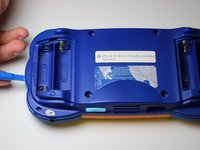
Remove the four plastic caps with a metal spudger to expose the 6.0 mm Philips JIS #0 case screws.
-
Remove the eight 6.0 mm JIS #0 case screws.
-
-
-
-
Remove the three 4.0 mm Philips J0 screws holding the "L" shaped brackets in place.
-
-
-
-
-
-
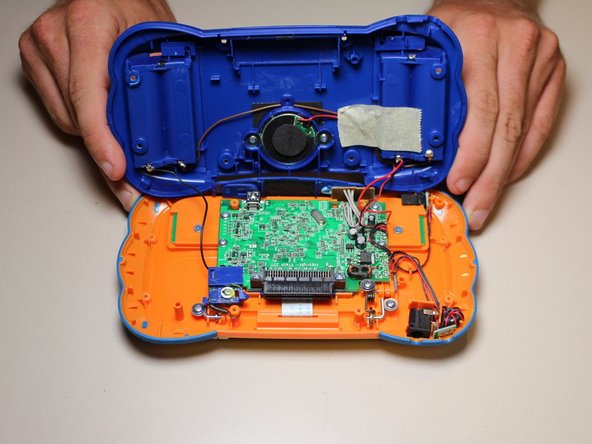
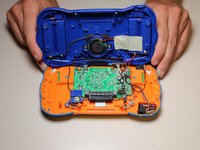
Peel the ribbon wire off of the circuit board. Now the screen should be free to remove.
-

 Ask FixBot




To reassemble your device, follow these instructions in reverse order.
Cancel: I did not complete this guide.
2 other people completed this guide.

Team

USF Tampa, Team 8-3, Eyestone Fall 2015 Member of USF Tampa, Team 8-3, Eyestone Fall 2015
USFT-EYESTONE-F15S8G3
3 Members
72 Guides authored
