
VTech Learning Tunes Karaoke Speaker Replacement

Gamuchirai Chifamba and 4 other contributors
Last updated on May 10, 2016
Views: 1.3K
View statistics:
- Past 24 Hours:
- 1
- Past 7 Days:
- 15
- Past 30 Days:
- 85
- All Time:
- 1,268
Comments: 0
No one has left comments on this guide. Will you be first?
Go to guide commentsCompleted: 0 1
No one has marked this guide "completed." Will you be the first?
1 person has marked this guide "completed." It's you — great job!
Favorites: 0 1
No one has favorited (and subscribed to) this guide. Will you be the first?
1 person has favorited (and subscribed to) this guide — and that's you!
Featured Student Guide
This guide has been the hard work of our awesome students and is found to be exceptionally cool by the iFixit staff.
Introduction
Go to step 1 ↓Is the sound not audible and/or distorted? This guide may help in finding a solution to fix the problem.
What you need
Tools


-
-
-
To remove the battery door, loosen the screw using a Flathead screwdriver.
 Ask FixBot
-
-
-
Remove the six 9.5 mm Phillips #2 screws.
-
Remove the six 6.0 mm Phillips #2 screws.
-
-
-
Gently pull up on the rear panel.
-
Carefully place the back panel underneath the top panel with the tops facing each other, as shown in the picture.
-
-
-
-
Remove two 7.9 mm Phillips #1 screws on the speaker cover.
-
After removing the screws, remove the black plastic speaker cover to expose the speaker.
-
-
-
Desolder the speaker at the solder points to remove.
-
Learn more about soldering and desoldering connections here.
-
-


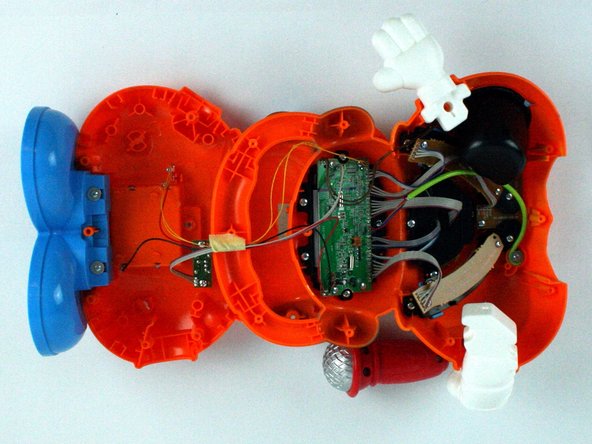
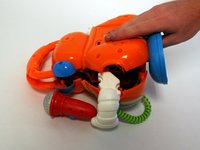
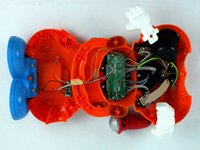


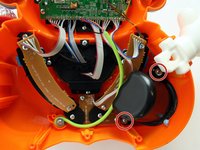
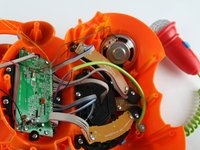

To reassemble your device, follow these instructions in reverse order.

Team

USF Tampa, Team 7-2, Cheng Spring 2016 Member of USF Tampa, Team 7-2, Cheng Spring 2016
USFT-CHENG-S16S7G2
4 Members
60 Guides authored
