Free Shipping on Domestic Orders $75+

VTech Learning Tunes Karaoke LCD Screen Replacement

What you need

  1. VTech Learning Tunes Karaoke LCD Screen Replacement, LCD Screen: step 1, image 1 of 1
    • To remove the battery door, loosen the screw using a Flathead screwdriver.

    • A coin can also be used to loosen the screw.

    Ask FixBot

    Add Comment

  2. VTech Learning Tunes Karaoke LCD Screen Replacement: step 2, image 1 of 2 VTech Learning Tunes Karaoke LCD Screen Replacement: step 2, image 2 of 2
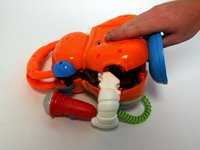
    • Remove the battery door and take out the batteries.

    Ask FixBot

    Add Comment

  3. VTech Learning Tunes Karaoke LCD Screen Replacement: step 3, image 1 of 1
    • Remove the six 9.5 mm Phillips #2 screws.

    • Remove the six 6.0 mm Phillips #2 screws.

    Ask FixBot

    Add Comment

  4. VTech Learning Tunes Karaoke LCD Screen Replacement: step 4, image 1 of 2 VTech Learning Tunes Karaoke LCD Screen Replacement: step 4, image 2 of 2
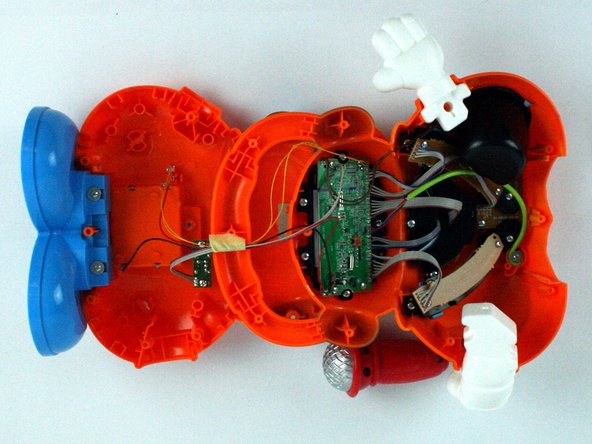
    • Gently pull up on the rear panel.

    • Be careful to not pull on the wire connections.

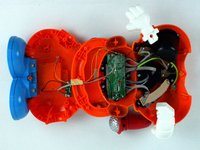
    • Gently place the back panel underneath the top panel with the tops facing each other, as shown in the picture.

    Ask FixBot

    Add Comment

  5. VTech Learning Tunes Karaoke LCD Screen Replacement: step 5, image 1 of 1
    Ask FixBot

    Add Comment

  6. VTech Learning Tunes Karaoke LCD Screen Replacement: step 6, image 1 of 1
    • Using Phillips #1 screwdriver, remove the four 7.9 mm LCD board screws.

    Ask FixBot

    Add Comment

  7. VTech Learning Tunes Karaoke LCD Screen Replacement: step 7, image 1 of 1
    • Remove old board and screen.

    Ask FixBot

    Add Comment

Conclusion

To reassemble your device, follow these instructions in reverse order.

Cancel: I did not complete this guide.

Gregory Timmins

Member since: 02/09/16

101 Reputation

1 Guide authored

Team

USF Tampa, Team 7-2, Cheng Spring 2016 Member of USF Tampa, Team 7-2, Cheng Spring 2016

USFT-CHENG-S16S7G2

4 Members

10 Guides authored

0 Guide Comments

Add Comment

View Statistics:

Past 24 Hours: 1

Past 7 Days: 2

Past 30 Days: 20

All Time: 646