
VTech Kidizoom Smartwatch DX2 Camera Replacement

Nathaniel Cady and 4 other contributors
Last updated on Dec 19, 2018
Views: 1.2K
View statistics:
- Past 24 Hours:
- 1
- Past 7 Days:
- 15
- Past 30 Days:
- 70
- All Time:
- 1,235
Comments: 3
2 comments on steps, 1 guide comment.
Go to guide commentsCompleted: 0 1
No one has marked this guide "completed." Will you be the first?
1 person has marked this guide "completed." It's you — great job!
Favorites: 0 1
No one has favorited (and subscribed to) this guide. Will you be the first?
1 person has favorited (and subscribed to) this guide — and that's you!
Introduction
Go to step 1 ↓If one of the cameras on your device is broken, cracked, or damaged in any way, the following guide will show you how to replace the camera.
What you need
Tools


-
-
-
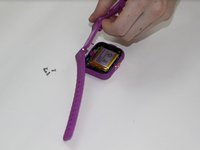
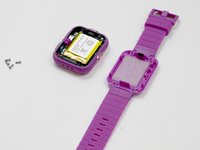
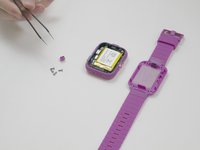
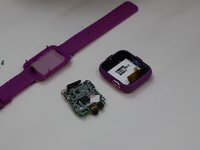
Next, use the Phillips #00 screwdriver to unscrew the four 6.0 mm screws located in each corner of the watch to remove the backplate.
-
-
-
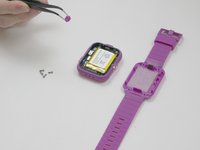
After removing the backplate, lift the master switch up from the circuit board.
-
-
-
-
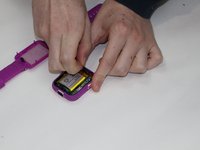
Carefully remove the speaker from the case without disconnecting it from the motherboard.
-
-
-
Tool used on this step:Tweezers$4.99
-
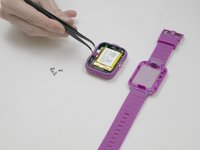
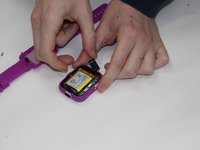
Using the tweezers, carefully lift the bar holding the connection to the screen.
-
Remove the motherboard from the device.
-
-
-
-
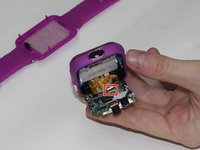
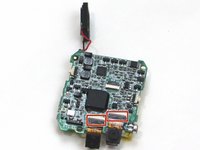
Turn the motherboard so the battery is on the bottom and locate the two clips holding the cameras in place.
-
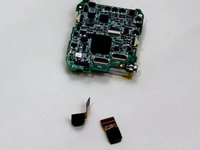
Carefully lift the clips and slide the cameras out.
-
-


 Ask FixBot










To reassemble your device, follow these instructions in reverse order.

Team

UMass Dartmouth, Team S3-G5, Peak Fall 2018 Member of UMass Dartmouth, Team S3-G5, Peak Fall 2018
UMASSD-PEAK-F18S3G5
4 Members
84 Guides authored
