
VTech Kidizoom Smartwatch DX2 Battery Replacement

Jessica Richard and 4 other contributors
Last updated on Dec 19, 2018
Views: 12K
View statistics:
- Past 24 Hours:
- 2
- Past 7 Days:
- 22
- Past 30 Days:
- 108
- All Time:
- 11,991
Comments: 8
3 comments on steps, 5 guide comments.
Go to guide commentsCompleted: 3 4
3 people have marked this guide "completed." Will you be next?
4 people have marked this guide "completed." Including you — great job!
Favorites: 0 1
No one has favorited (and subscribed to) this guide. Will you be the first?
1 person has favorited (and subscribed to) this guide — and that's you!
Introduction
Go to step 1 ↓If your Smartwatch is not charging, and you tested the cables, then the battery may need to be replaced. This guide will show you how to do this.
What you need
Parts
Tools


-
-
-
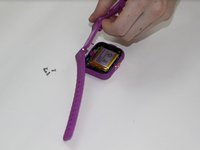
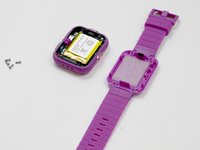
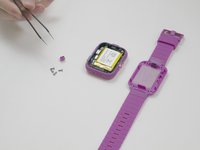
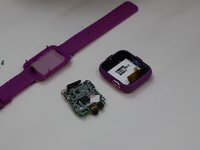
Next, use the Phillips #00 screwdriver to unscrew the four 6.0 mm screws located in each corner of the watch to remove the backplate.
-
-
-
After removing the backplate, lift the master switch up from the circuit board.
-
-
-
-
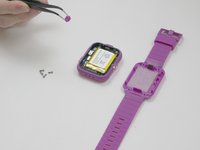
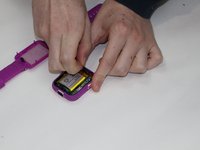
Carefully remove the speaker from the case without disconnecting it from the motherboard.
-
-
-
Tool used on this step:Tweezers$4.99
-
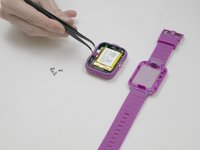
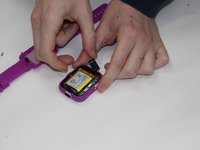
Using the tweezers, carefully lift the bar holding the connection to the screen.
-
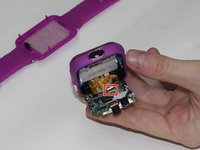
Remove the motherboard from the device.
-
-
-
-
Carefully pry the battery off of the circuit board using the plastic opening tool.
-
-
-
De-solder the wires connecting the battery to the circuit board.
-
Remove the battery.
-
-


 Ask FixBot










To reassemble your device, follow these instructions in reverse order.
Cancel: I did not complete this guide.
3 other people completed this guide.

Team

UMass Dartmouth, Team S3-G5, Peak Fall 2018 Member of UMass Dartmouth, Team S3-G5, Peak Fall 2018
UMASSD-PEAK-F18S3G5
4 Members
84 Guides authored
5 Guide Comments
Hey guys, My VTech watch is plugged in but once I turn it on it does but then shows a dead battery. I actually didn’t play with it for a while and I left it dead battery.
So I might try this trick and see if it works.
Sometime i’ll try it
when I have the right tools
