
VTech InnoTab 2s Speaker Replacement

Esthevan Romeiro and 2 other contributors
Last updated on Dec 22, 2016
Views: 857
View statistics:
- Past 24 Hours:
- 2
- Past 7 Days:
- 16
- Past 30 Days:
- 93
- All Time:
- 857
Comments: 1
1 guide comment.
Go to guide commentsCompleted: 0 1
No one has marked this guide "completed." Will you be the first?
1 person has marked this guide "completed." It's you — great job!
Favorites: 0 1
No one has favorited (and subscribed to) this guide. Will you be the first?
1 person has favorited (and subscribed to) this guide — and that's you!
Introduction
Go to step 1 ↓You no longer get sound from the speakers on your tablet. This guide will help you gain access to the speaker on your tablet for removal or replacement.
What you need
Tools
-
-
Spudger4.9
-


-
-
-
Lift the Leg all the way up and twist the bottom to remove.
-
Once the bottom part pops out the whole leg should just come off.
-
Remove any game cartridge from the device.
-
-
-
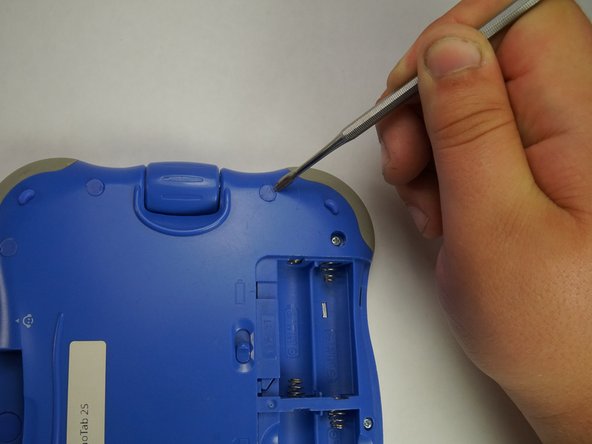
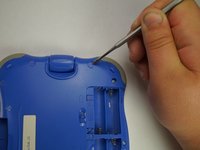
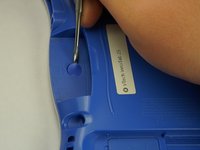
Remove all of the plastic tabs on the device. These are covering screws that will need to be removed.
-
There is a special tab in the cartridge cover that is made of rubber, make sure to not break this tab.
-
-
-
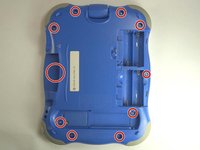
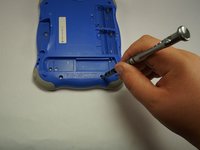
Remove all nine screws from the back of the device using a J0 bit.
-
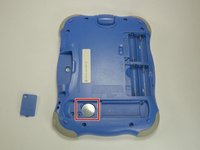
Remove the small battery.
-
-
-
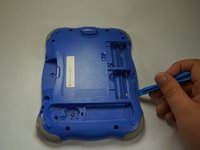
Using a plastic opening tool, detach the backplate from the front piece.
-
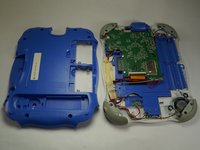
Once the backplate has been removed, you will have access to the circuit board.
-
-
-
-
First begin by removing the three cross-head screws using a J0 bit.
-
-
-
First remove the ribbon cables. There are two highlighted by the red squares
-
Do not apply too much pressure and make sure that the black plastic tabs are fully open before you pull the cable out.
-
-
-
Remove the camera from the assembly and put is a safe place so that it will not get damaged.
-
-
-
Remove the board from the main assembly.
-
Be careful not to pull too hard so that the cables aren't broken.
-
-
-
-

 Ask FixBot









To reassemble your device, follow these instructions in reverse order.

Team

USF Tampa, Team 5-1, Lacy Fall 2016 Member of USF Tampa, Team 5-1, Lacy Fall 2016
USFT-LACY-F16S5G1
4 Members
72 Guides authored
