
VTech InnoTab 2s Power Connector Replacement

Esthevan Romeiro and 5 other contributors
Last updated on Jan 9, 2018
Views: 849
View statistics:
- Past 24 Hours:
- 2
- Past 7 Days:
- 18
- Past 30 Days:
- 98
- All Time:
- 849
Comments: 0
No one has left comments on this guide. Will you be first?
Go to guide commentsCompleted: 0 1
No one has marked this guide "completed." Will you be the first?
1 person has marked this guide "completed." It's you — great job!
Favorites: 0 1
No one has favorited (and subscribed to) this guide. Will you be the first?
1 person has favorited (and subscribed to) this guide — and that's you!
Introduction
Go to step 1 ↓This guide demonstrates how to remove and replace a VTech InnoTab 2s power connector in order to preserve the function of the device.
What you need
Tools
-
-
Spudger4.9
-


-
-
-
Lift the Leg all the way up and twist the bottom to remove.
-
Once the bottom part pops out the whole leg should just come off.
-
Remove any game cartridge from the device.
-
-
-
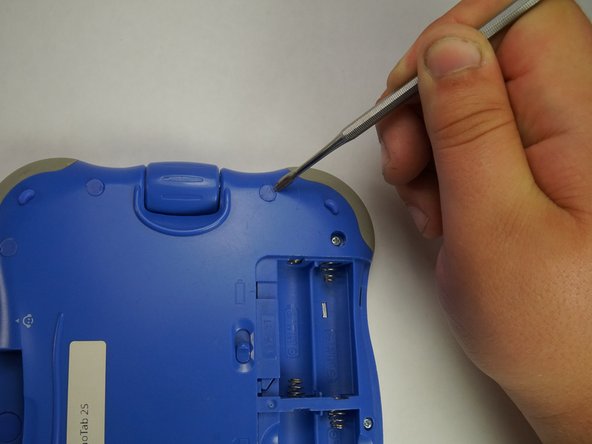
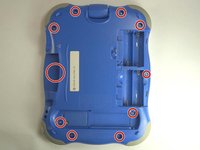
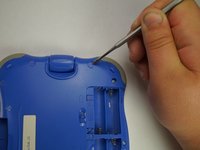
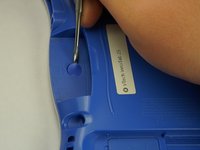
Remove all of the plastic tabs on the device. These are covering screws that will need to be removed.
-
There is a special tab in the cartridge cover that is made of rubber, make sure to not break this tab.
-
-
-
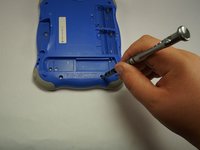
Remove all nine screws from the back of the device using a J0 bit.
-
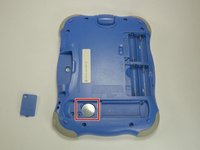
Remove the small battery.
-
-
-
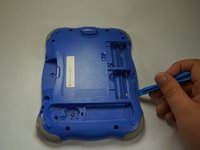
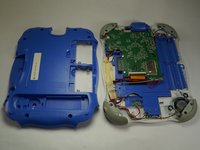
Using a plastic opening tool, detach the backplate from the front piece.
-
Once the backplate has been removed, you will have access to the circuit board.
-
-
-
-
First begin by removing the three cross-head screws using a J0 bit.
-
-
-
First remove the ribbon cables. There are two highlighted by the red squares
-
Do not apply too much pressure and make sure that the black plastic tabs are fully open before you pull the cable out.
-
-
-
Remove the camera from the assembly and put is a safe place so that it will not get damaged.
-
-
-
-
Remove the board from the main assembly.
-
Be careful not to pull too hard so that the cables aren't broken.
-
-
-
-
-
Use a soldering tool to desolder the two highlighted points.
-
-
-
Use a screwdriver to remove the screw that is holding the power jack in place.
-
Now you have access to remove and replace the power jack.
-
-

 Ask FixBot









To reassemble your device, follow these instructions in reverse order.

Team

USF Tampa, Team 5-1, Lacy Fall 2016 Member of USF Tampa, Team 5-1, Lacy Fall 2016
USFT-LACY-F16S5G1
4 Members
72 Guides authored
