
VTech InnoTab 2s Back Panel Replacement

Ricardo Espinosa and 4 other contributors
Last updated on Sep 1, 2017
Views: 773
View statistics:
- Past 24 Hours:
- 2
- Past 7 Days:
- 14
- Past 30 Days:
- 98
- All Time:
- 773
Comments: 0
No one has left comments on this guide. Will you be first?
Go to guide commentsCompleted: 1 2
1 person has marked this guide "completed." Will you be next?
2 people have marked this guide "completed." Including you — great job!
Favorites: 0 1
No one has favorited (and subscribed to) this guide. Will you be the first?
1 person has favorited (and subscribed to) this guide — and that's you!
Better Introduction
Improve this guide by completing or revising its introduction.
What you need
Tools


-
-
-
Lift the Leg all the way up and twist the bottom to remove.
-
Once the bottom part pops out the whole leg should just come off.
-
Remove any game cartridge from the device.
-
-
-
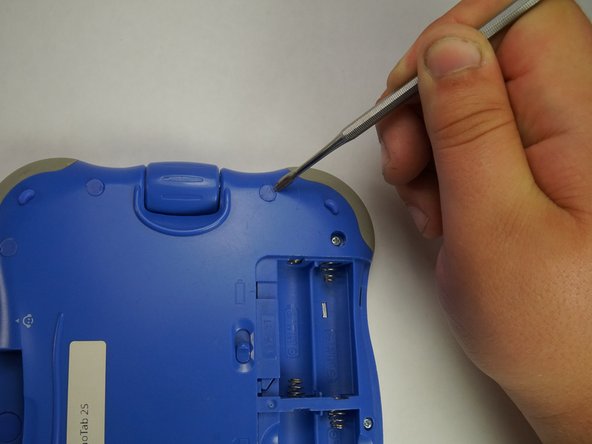
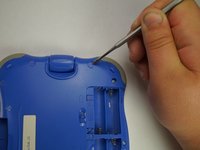
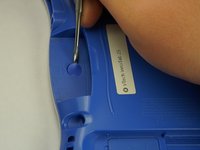
Remove all of the plastic tabs on the device. These are covering screws that will need to be removed.
-
There is a special tab in the cartridge cover that is made of rubber, make sure to not break this tab.
-
-
-
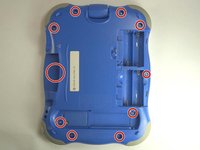
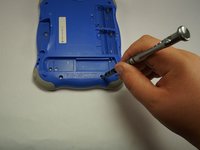
Remove all nine screws from the back of the device using a J0 bit.
-
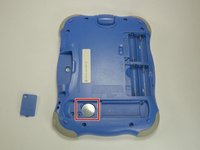
Remove the small battery.
-
-
-
-
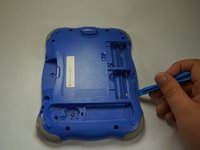
Using a plastic opening tool, detach the backplate from the front piece.
-
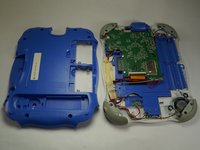
Once the backplate has been removed, you will have access to the circuit board.
-

 Ask FixBot







To reassemble your device, follow these instructions in reverse order.
Cancel: I did not complete this guide.
One other person completed this guide.

Team

USF Tampa, Team 5-1, Lacy Fall 2016 Member of USF Tampa, Team 5-1, Lacy Fall 2016
USFT-LACY-F16S5G1
4 Members
72 Guides authored
