
VTech CS6719-2 Button Replacement

Nick Boyd and 5 other contributors
Last updated on Mar 21, 2018
Views: 1.9K
View statistics:
- Past 24 Hours:
- 3
- Past 7 Days:
- 20
- Past 30 Days:
- 100
- All Time:
- 1,944
Comments: 0
No one has left comments on this guide. Will you be first?
Go to guide commentsCompleted: 1 2
1 person has marked this guide "completed." Will you be next?
2 people have marked this guide "completed." Including you — great job!
Favorites: 0 1
No one has favorited (and subscribed to) this guide. Will you be the first?
1 person has favorited (and subscribed to) this guide — and that's you!
Introduction
Go to step 1 ↓Button Replacement guide is taking the battery out of the VTech CS67192 phone to ensure safety. Then opening the back of the phone off by unscrewing the back of the phone which will give access to the buttons.
What you need
Tools


-
-
-
Push down on the battery cover in the direction of the arrow located on the back of the phone.
 Ask FixBot
-
-
-
-
-
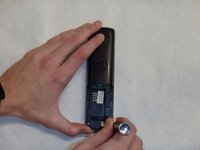
Remove the two 9mm screws on the back side with a Phillips #0 screwdriver.
-
-
-
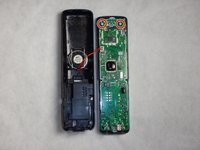
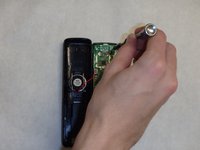
Use the plastic opening tool and spudger to pry the back side of the phone off.
-
-
-
-
-
-
Remove the white sheet of rubber located between the circuit board and the buttons.
-
-







To reassemble your device, follow these instructions in reverse order.
Cancel: I did not complete this guide.
One other person completed this guide.

Team

IUPUI, Team 1-4, Baechle Spring 2016 Member of IUPUI, Team 1-4, Baechle Spring 2016
IUPUI-BAECHLE-S16S1G4
4 Members
96 Guides authored
