Free Shipping on Domestic Orders $75+

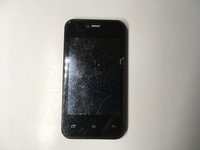
Unnecto Drone M Digitizer Replacement

What you need

    1. Unnecto Drone M Digitizer Replacement, Unnecto Drone M Disassembly: step 1, image 1 of 2 Unnecto Drone M Digitizer Replacement, Unnecto Drone M Disassembly: step 1, image 2 of 2
      • Place the phone facedown on a cleared work area

      • Remove the back case by applying moderate force to the indentation in the lower left corner of the case.

      Ask FixBot

      Add Comment

    2. Unnecto Drone M Digitizer Replacement: step 2, image 1 of 1
      • Grip the top right corner of the battery.

      • Remove the battery by pulling it outwards.

      Ask FixBot

      Add Comment

    3. Unnecto Drone M Digitizer Replacement: step 3, image 1 of 1
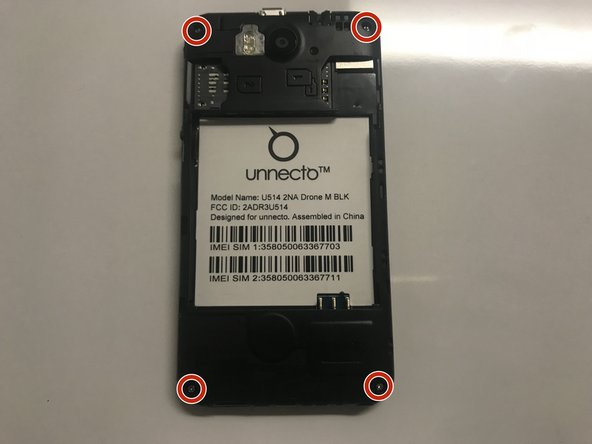
      • Remove the four screws on the back of the phone using a Philips 000 screwdriver

      Ask FixBot

      Add Comment

    4. Unnecto Drone M Digitizer Replacement: step 4, image 1 of 1
      • Separate the frame evenly using a plastic opening tool.

      • Be careful, as the frame is thin and can break easily.

      Ask FixBot

      Add Comment

    5. Unnecto Drone M Digitizer Replacement: step 5, image 1 of 2 Unnecto Drone M Digitizer Replacement: step 5, image 2 of 2
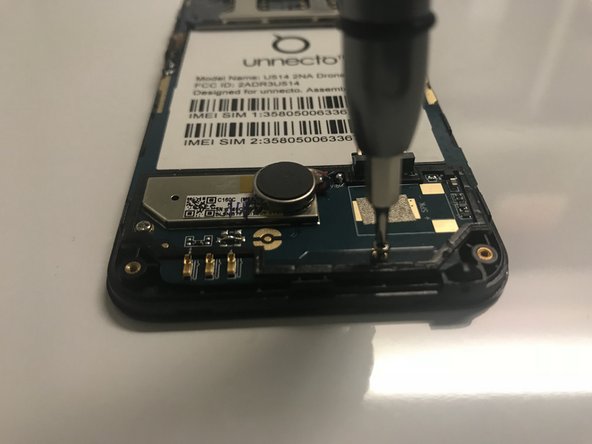
      • Use a Phillips #000 screwdriver to remove the four screws that secure the motherboard.

      Ask FixBot

      Add Comment

    6. Unnecto Drone M Digitizer Replacement: step 6, image 1 of 1
      Tool used on this step:
      Tweezers
      $4.99
      Buy
      • Disconnect the ribbon cable from the motherboard using rounded, spade-tipped tweezers.

      Ask FixBot

      Add Comment

    7. Unnecto Drone M Digitizer Replacement: step 7, image 1 of 1
      • Peel the white circuit on left side of the frame by inserting fine-tipped tweezers between it and the frame.

      • The white circuit is flimsy and securely glued to the frame.

      Ask FixBot

      Add Comment

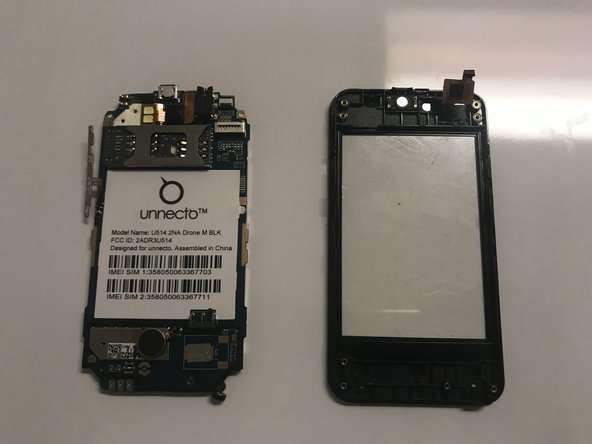
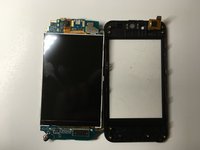
    8. Unnecto Drone M Digitizer Replacement: step 8, image 1 of 2 Unnecto Drone M Digitizer Replacement: step 8, image 2 of 2
      • Set aside the circuit board from the screen protector.

      Ask FixBot

      Add Comment

    1. Unnecto Drone M Digitizer Replacement, Digitizer: step 9, image 1 of 2 Unnecto Drone M Digitizer Replacement, Digitizer: step 9, image 2 of 2
      • Replace the old plastic screen with the new one.

      • Reassemble the phone by following the steps in reverse order.

      Ask FixBot

      Add Comment

Conclusion

To reassemble your device, follow these instructions in reverse order.

Cancel: I did not complete this guide.

0 Guide Comments

Add Comment

View Statistics:

Past 24 Hours: 0

Past 7 Days: 4

Past 30 Days: 27

All Time: 561