Free Shipping on Domestic Orders $75+

Uniden D1483-3BK Handset Keypad Replacement

What you need

    1. Uniden D1483-3BK Handset Keypad Replacement, Battery: step 1, image 1 of 1
      • Set the phone with dial keys facing downward.

      Ask FixBot

      Add Comment

    2. Uniden D1483-3BK Handset Keypad Replacement: step 2, image 1 of 2 Uniden D1483-3BK Handset Keypad Replacement: step 2, image 2 of 2
      • Slide the battery cover toward the bottom of the phone.

      • Lift and remove the back cover from the phone.

      Ask FixBot

      Add Comment

    3. Uniden D1483-3BK Handset Keypad Replacement: step 3, image 1 of 1
      • Remove the battery from its compartment.

      • Pinch the end of cord where the battery is attached to the phone and pull up gently.

      Ask FixBot

      Add Comment

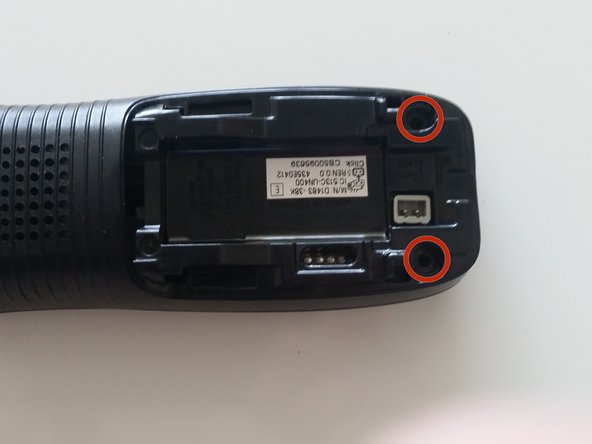
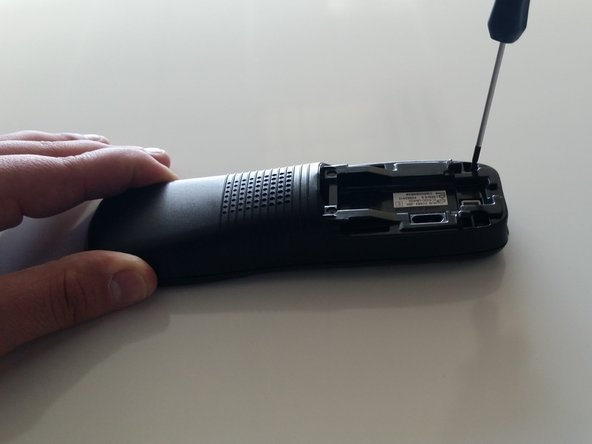
    1. Uniden D1483-3BK Handset Keypad Replacement, Handset Case: step 4, image 1 of 2 Uniden D1483-3BK Handset Keypad Replacement, Handset Case: step 4, image 2 of 2
      • Remove the two 9mm Phillips #1 screws in the battery compartment.

      Ask FixBot

      Add Comment

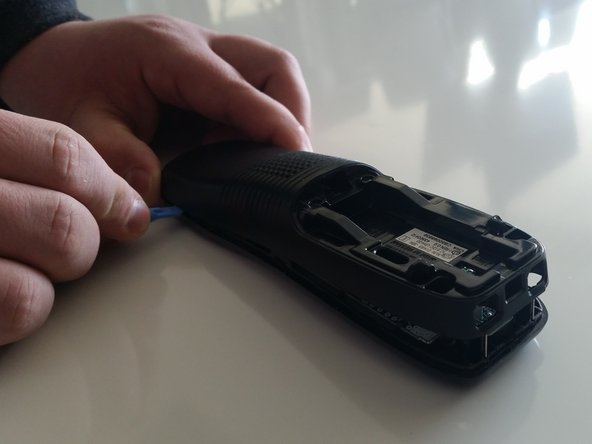
    2. Uniden D1483-3BK Handset Keypad Replacement: step 5, image 1 of 3 Uniden D1483-3BK Handset Keypad Replacement: step 5, image 2 of 3 Uniden D1483-3BK Handset Keypad Replacement: step 5, image 3 of 3
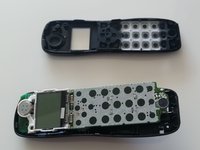
      • Use the plastic opening tool to carefully separate the two halves of the case.

      • Slowly work around the entire case to fully separate the halves before pulling them apart.

      • Wires inside the case hold the two halves together, tearing these wires will lead to a need for additional repair.

      Ask FixBot

      Add Comment

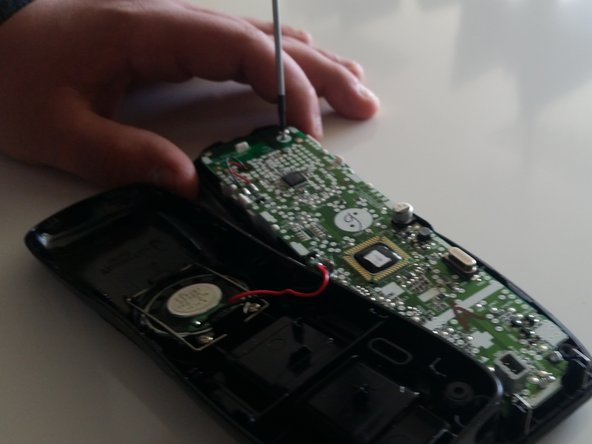
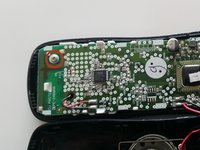
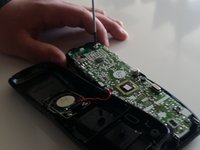
    3. Uniden D1483-3BK Handset Keypad Replacement: step 6, image 1 of 2 Uniden D1483-3BK Handset Keypad Replacement: step 6, image 2 of 2
      • Carefully remove the 9mm Phillips #1 screw from the top corner of the circuit board.

      Ask FixBot

      Add Comment

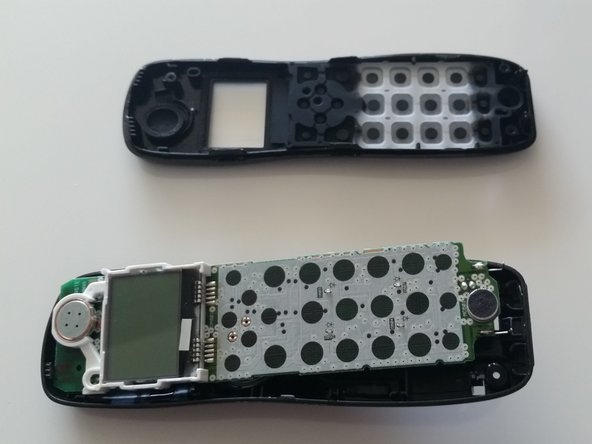
    4. Uniden D1483-3BK Handset Keypad Replacement: step 7, image 1 of 2 Uniden D1483-3BK Handset Keypad Replacement: step 7, image 2 of 2
      • Carefully grasp either side of the circuit board and lift it straight out of the front half of the case.

      • Set the board in the lower half of the case.

      Ask FixBot

      Add Comment

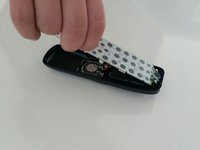
    1. Uniden D1483-3BK Handset Keypad Replacement, Handset Keypad: step 8, image 1 of 1
      • Remove the rubber keypad from the front half of the handset case.

      • The keypad comes in two separate pieces.

      Ask FixBot

      Add Comment

Conclusion

To reassemble your device, follow these instructions in reverse order.

Cancel: I did not complete this guide.

6 other people completed this guide.

Arbitrary Name

Member since: 01/28/15

1,083 Reputation

4 Guides authored

Team

Penn State, Team 1-8, Kaschak Winter 2015 Member of Penn State, Team 1-8, Kaschak Winter 2015

PSU-KASCHAK-W15S1G8

4 Members

48 Guides authored

0 Guide Comments

Add Comment

View Statistics:

Past 24 Hours: 0

Past 7 Days: 1

Past 30 Days: 27

All Time: 451