
Unbranded UB-15MS10 Speaker Replacement

Jordan Turk and 8 other contributors
Last updated on Jul 26, 2024
Views: 1.3K
View statistics:
- Past 24 Hours:
- 4
- Past 7 Days:
- 25
- Past 30 Days:
- 97
- All Time:
- 1,255
Comments: 3
3 comments on steps.
Completed: 0 1
No one has marked this guide "completed." Will you be the first?
1 person has marked this guide "completed." It's you — great job!
Favorites: 0 1
No one has favorited (and subscribed to) this guide. Will you be the first?
1 person has favorited (and subscribed to) this guide — and that's you!
Needs Better Images
Better photos will improve this guide. Help out by taking, editing, or uploading new ones!
Needs More Images
A few more images would make this guide's procedures crystal clear.
Introduction
Go to step 1 ↓This guide walks you through how to replace a broken speaker on your UnBranded Tablet.
What you need
Tools
-
-
Spudger4.9


-
-
-
Remove the cover over the Micro SD outlet by using a plastic opening tool to pry open and push out the cover panel.
 Ask FixBot
-
-
-
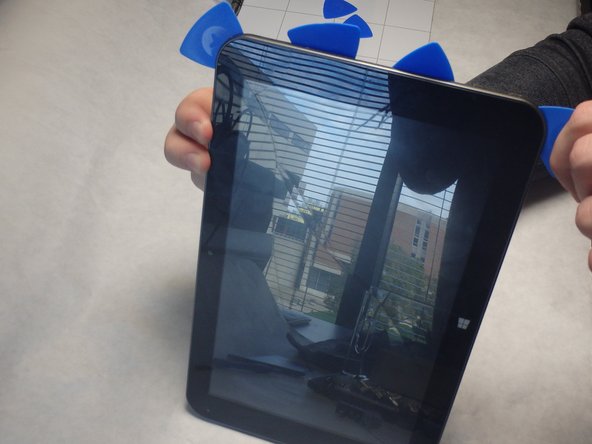
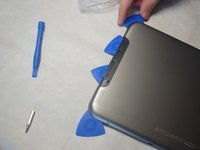
Insert blue guitar picks in the crease between the top and bottom panels starting on the same end as the Micro SD slot.
-
-
-
Insert the black spudger between the guitar picks in order to pry open gaps between the blue guitar picks.
-
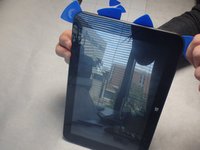
As the gaps open, slide the guitar picks along the sides to separate the panels.
-
-
-
Pry all four sides apart using the blue guitar picks and the black spudger until they can easily be pried apart by hand.
-
-
-
-
-
-
Reflow the solder of the black and red wires from the circuit board by using the soldering iron.
-




To reassemble your device, follow these instructions in reverse order.

Team

IUPUI, Team 2-1, Baechle Fall 2015 Member of IUPUI, Team 2-1, Baechle Fall 2015
IUPUI-BAECHLE-F15S2G1
3 Members
36 Guides authored
