Free Shipping on Domestic Orders $75+

Unbranded UB-15MS10 Screen Replacement

What you need

  1. Unbranded UB-15MS10 Screen Replacement, Screen: step 1, image 1 of 1
    • Use an opening tool to pry off the lid of the memory card compartment.

    Ask FixBot

    Add Comment

  2. Unbranded UB-15MS10 Screen Replacement: step 2, image 1 of 1
    • Use a Phillips #00 Screwdriver to unscrew the two 1.2mm screws within the compartment. This allows the device to be opened.

    Ask FixBot

    Add Comment

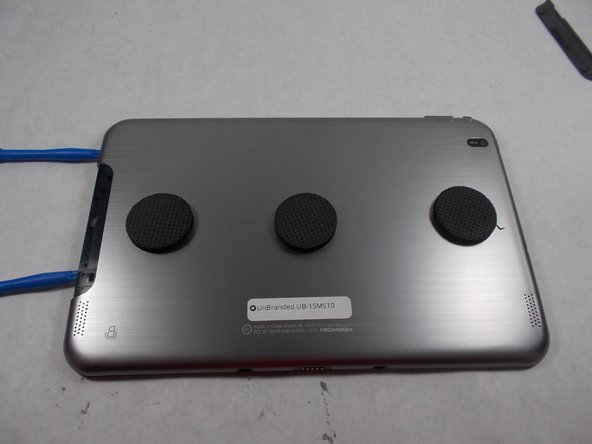
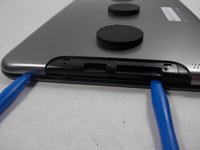
  3. Unbranded UB-15MS10 Screen Replacement: step 3, image 1 of 2 Unbranded UB-15MS10 Screen Replacement: step 3, image 2 of 2
    • Insert opening tools to partially pry open the cover.

    Ask FixBot

    Add Comment

  4. Unbranded UB-15MS10 Screen Replacement: step 4, image 1 of 1
    • With the cover being partially held open, slide a spudger around the seam to pry off the cover.

    Ask FixBot

    Add Comment

  5. Unbranded UB-15MS10 Screen Replacement: step 5, image 1 of 1
    • Remove the tape that is holding the battery in place.

    Ask FixBot

    Add Comment

  6. Unbranded UB-15MS10 Screen Replacement: step 6, image 1 of 1
    • Unscrew the five 1.2mm screws that connect the circuit board to the device.

    Ask FixBot

    Add Comment

  7. Unbranded UB-15MS10 Screen Replacement: step 7, image 1 of 1
    • There are three silver tabs around the internal components that connect it to the frame with screws. Unscrew these screws to remove the internal components.

    Ask FixBot

    Add Comment

  8. Unbranded UB-15MS10 Screen Replacement: step 8, image 1 of 1
    • Carefully lift the internal components from the screen and place them into a replacement screen.

    Ask FixBot

    Add Comment

Conclusion

To reassemble your device, follow instructions 1-7 in reverse order.

Cancel: I did not complete this guide.

2 other people completed this guide.

Evan Peterson

Member since: 03/08/17

338 Reputation

2 Guides authored

Team

1 Guide Comment

All the instruction are fine to follow except the last one, step 8. What tool to use to lift the internal components from the screen frame or where to start to lift without damage to the internal components?

Alfred H. Schaefer - Reply Share

Add Comment

View Statistics:

Past 24 Hours: 1

Past 7 Days: 14

Past 30 Days: 43

All Time: 2,387