
Turtle Beach Elite Pro Right Speaker Replacement

Alexis Uribe and 3 other contributors
Last updated on May 12, 2017
Views: 1.5K
View statistics:
- Past 24 Hours:
- 3
- Past 7 Days:
- 22
- Past 30 Days:
- 86
- All Time:
- 1,485
Comments: 0
No one has left comments on this guide. Will you be first?
Go to guide commentsCompleted: 1 2
1 person has marked this guide "completed." Will you be next?
2 people have marked this guide "completed." Including you — great job!
Favorites: 0 1
No one has favorited (and subscribed to) this guide. Will you be the first?
1 person has favorited (and subscribed to) this guide — and that's you!
Introduction
Go to step 1 ↓This guide will assist users in replacing the right speaker with a new speaker. It will be useful for users whose right speaker is no longer producing any sound or is producing sound that is broken and scratchy.
What you need
Parts
Tools


-
-
-
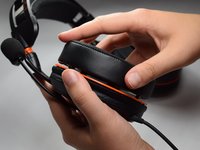
Firmly pinch ear cushion between thumb and forefinger.
-
Using the hand not holding the ear cushion, grasp the orange plate that is below the ear cushion.
 Ask FixBot
-
-
-
Rotate ear cushion counter-clockwise about half an inch.
-
After it has audibly snapped out of place, lift the ear cushion off of the device.
-
-
-
Using the new cushion, align the pegs located on both the orange plate and ear cushion.
-
Once the pegs are aligned, push the new ear cushion in place.
-
-
-
-
-
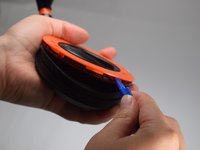
Using the Phillips #0 screwdriver, remove the 6.0 mm screws on the orange plate.
-
-
-
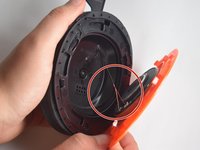
Use the opening tool to separate the orange plate from the black base plate.
-
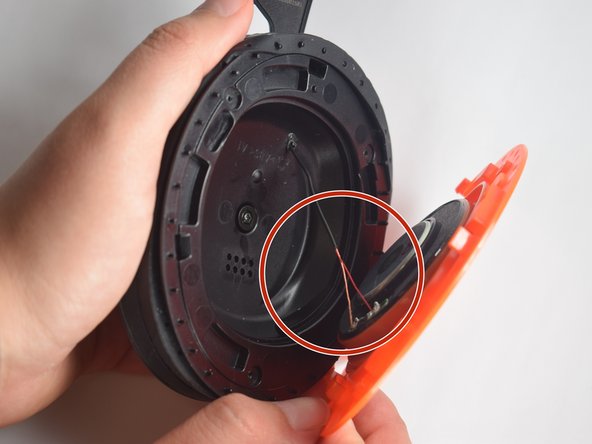
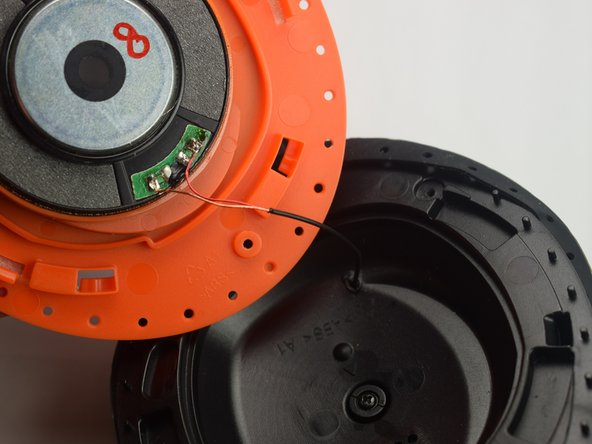
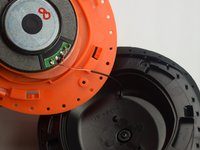
Focus on the wires that are connected to the speaker.
-
-
-
-
Replace the old speaker with the new speaker.
-
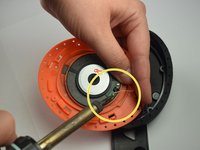
Using the soldering iron, solder the wires to the new speaker.
-


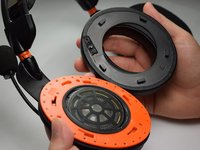




To reassemble your device, follow these instructions in reverse order.
Cancel: I did not complete this guide.
One other person completed this guide.

Team

Baylor, Team S5-G1, Williams Spring 2017 Member of Baylor, Team S5-G1, Williams Spring 2017
BU-WILLIAMS-S17S5G1
3 Members
48 Guides authored
