Introduction
If your Microphone on your Turtle Beach Ear Force x12 isn't working properly when you speak into it, it can be caused by a faulty microphone. Use this guide to replace the faulty part on your Turtle Beach Headset.
The microphone on the Turtle Beach Ear Force x12 is used to communicate with people online. If your voice isn't transmitted clearly when you speak into the microphone then there is a mechanical, or electrical issue which can be caused by excess use, drops, or dirty microphone.
-
-
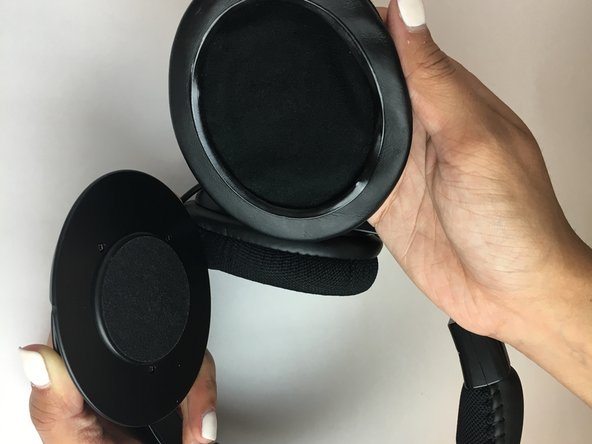
Start by removing the left ear pad.
-
Gently pull on the pad from the side by the leathery material until it comes loose from slot.
 Ask FixBot
-
-
-
-
Grip ear cushion and carefully pull up and separate from the plastic headphone.
-


To reassemble your device, slip on new cushions

Team

USF Tampa, Team S1-G3, Thompson Fall 2017 Member of USF Tampa, Team S1-G3, Thompson Fall 2017
USFT-THOMPSON-F17S1G3
3 Members
5 Guides authored
