
Tritton Kama Ear Pads Replacement

Josi Marciales and one other contributor
Last updated on Dec 17, 2025
Views: 344
View statistics:
- Past 24 Hours:
- 5
- Past 7 Days:
- 23
- Past 30 Days:
- 74
- All Time:
- 344
Comments: 0
No one has left comments on this guide. Will you be first?
Go to guide commentsCompleted: 0 1
No one has marked this guide "completed." Will you be the first?
1 person has marked this guide "completed." It's you — great job!
Favorites: 0 1
No one has favorited (and subscribed to) this guide. Will you be the first?
1 person has favorited (and subscribed to) this guide — and that's you!
Introduction
Go to step 1 ↓The ear pads on the Tritton Kama Xbox headphones can wear out over time, causing discomfort and reducing audio quality. Replacing the ear pads is a simple, low-cost fix that restores comfort and extends the life of your headset. This guide explains how to remove the old pads and attach new ones safely
-
-
-
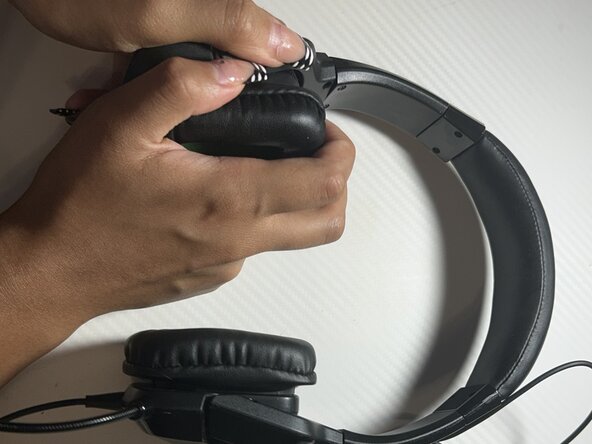
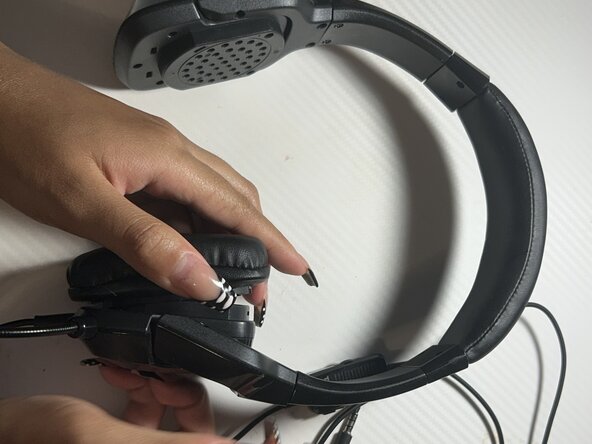
Gently pull on the edge of the earpad, lifting until it starts to become loose.
-
Repeat these steps for the left and right ear pads.
 Ask FixBot
-
-
-
Align the new ear pad evenly around the ear cup to match the clip design.
-
Starting on the bottom side, press the pad into the grooves.
-
Move around the pad, slowly pushing each section in until the entire pad snaps into place.
-
-
-
Follow the same steps for the second ear pad.
-
Compare both sides to ensure they look and feel the same.
-
-
-
-
Put on the headset and adjust it for comfort.
-
Check that both pads feel even and firmly attached.
-
Enjoy the improvement of sound and comfortability for your ears!
-
-




Team

Austin Community College, Team 2-9, Tijerina Fall 2025 Member of Austin Community College, Team 2-9, Tijerina Fall 2025
AUSTINCC-TIJERINA-F25S2G9
1 Member
12 Guides authored
