Free Shipping on Domestic Orders $75+

Trio STEALTH-9 Speaker Replacement

What you need

    1. Trio STEALTH-9 Speaker Replacement, Back Cover: step 1, image 1 of 1
      • Remove the two Phillips #00 screws on the side of the tablet.

      Ask FixBot

      Add Comment

    2. Trio STEALTH-9 Speaker Replacement: step 2, image 1 of 1
      • Take one of the plastic opening tools and wedge it in the middle of the tablet, starting on the USB Port side.

      • Holding the tool in place, take one of the 6 plastic opening picks and slide it across the opening you made with the opening tool.

      Ask FixBot

      Add Comment

    3. Trio STEALTH-9 Speaker Replacement: step 3, image 1 of 1
      • Continue going around the tablet sides with the plastic pick, being sure that you are maintaining the openings you made with either your hand or the opening tool.

      • You will notice some popping as you go around with the pick. Don't worry, this is completely normal.

      Ask FixBot

      Add Comment

    4. Trio STEALTH-9 Speaker Replacement: step 4, image 1 of 1
      • Remove the back cover of the tablet to reveal the internals.

      • To replace, pinch each of the ends together until all four sides are closed.

      Ask FixBot

      Add Comment

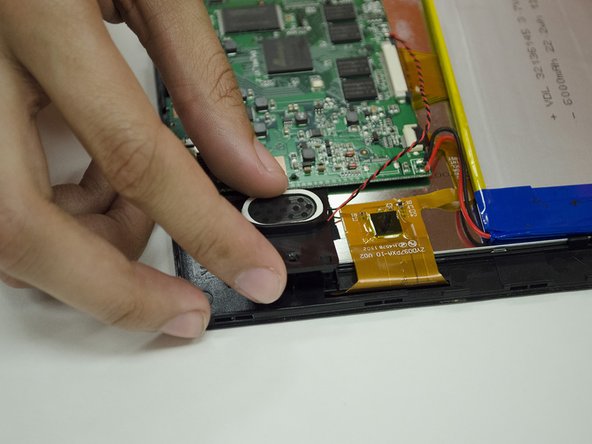
    1. Trio STEALTH-9 Speaker Replacement, Speaker: step 5, image 1 of 1
      • Slowly remove the electrical tape holding down the Speaker wires.

      Ask FixBot

      Add Comment

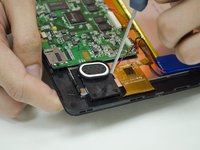
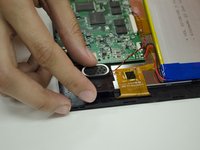
    2. Trio STEALTH-9 Speaker Replacement: step 6, image 1 of 2 Trio STEALTH-9 Speaker Replacement: step 6, image 2 of 2
      • Remove the #00 screw on the Speaker mount and remove the Speaker mount.

      Ask FixBot

      Add Comment

    3. Trio STEALTH-9 Speaker Replacement: step 7, image 1 of 1
      • Prepare your Soldering tools. Desolder the Speaker leads from the Motherboard.

      • Remove any excess solder as necessary, and apply new solder when replacing a Speaker.

      Ask FixBot

      Add Comment

Conclusion

To reassemble your device, follow these instructions in reverse order, making sure to be careful with your wiring leads and soldering work.

Cancel: I did not complete this guide.

[deleted]

Member since: 01/29/15

415 Reputation

3 Guides authored

0 Guide Comments

Add Comment

View Statistics:

Past 24 Hours: 1

Past 7 Days: 14

Past 30 Days: 31

All Time: 495