Introduction
This guide will demonstrate how to remove the circuit board for the Volume buttons. To access the circuit board, you will need to start by removing the front panel using the Front Panel Guide. This guide may be necessary if the Volume buttons are damaged or will.
Before beginning, ensure the device is powered off and disconnected from any charging source. This guide requires a Plastic Pry tool and Plastic Opening tool for disassembly. A Metal Spudger is an optional tool for this guide and is not required. Take care when handling internal components, since the wiring connections and the circuit boards are fragile and can be damaged.
What you need
-
-
-
Place the speaker on your work surface.
-
Use a plastic opening tool to lift the edge of the rubber base and peel it away from the housing.
-
Set the rubber base aside.
 Ask FixBot
-
-
-
Remove the 5.4 mm screw securing the small carry strap using a 4 mm flathead screwdriver.
-
Gently slide the strap and its plastic bracket out of place.
-
Set the strap and screw aside.
-
-
-
-
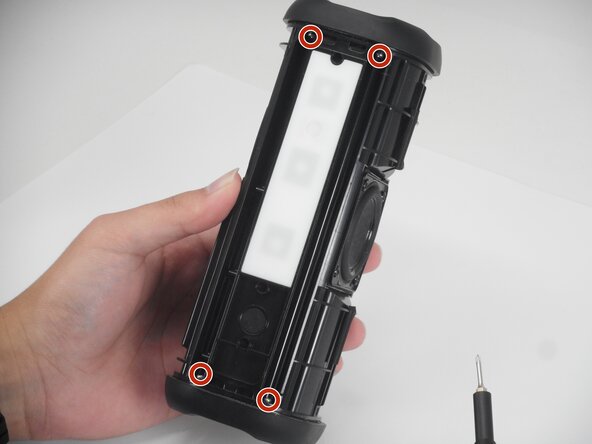
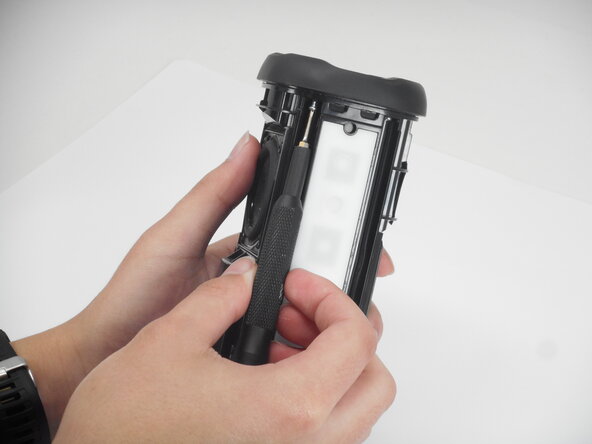
Use a Phillips #00 screwdriver to remove the 11.4 mm screws along the panel.
-
Gently lift the rubber control panel away from the housing.
-
-
-
-
-
On the opposite side of the speaker's charging port, you can locate the volume buttons, which can be easily seen as a white rubber surface.
-
Using the plastic pry tool, we will remove the rubber piece to expose the circuit board for the volume buttons.
-
-
-
On the upper half of the volume circuit board, there's is a thin wire that is connected to the circuit. To remove the wire, locate the two black squares that is above and below the wire.
-
Using the plastic prying tool, gently push the squares to the right to unlock the wire.
-
When the wire is unlocked, slowly disconnect the wire from the circuit board.
-
-
-
To remove the circuit board, we will slowly pry out it out using the plastic pry tool since the circuit is taped to the device.
-
Gently pull the circuit board out once it is pried out since it is fragile.
-
When finished, you may set the circuit board aside.
-
-





Team

University of Memphis, Team 1-5, Sneed Spring 2026 Member of University of Memphis, Team 1-5, Sneed Spring 2026
UM-SNEED-S26S1G5
3 Members
72 Guides authored
