Free Shipping on Domestic Orders $75+

Toshiba NB305 Keyboard Replacement

What you need

    1. Toshiba NB305 Keyboard  Replacement, Battery: step 1, image 1 of 1
      • Place the laptop upside down with the battery facing you.

      Ask FixBot

      Add Comment

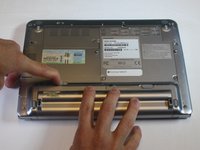
    2. Toshiba NB305 Keyboard  Replacement: step 2, image 1 of 1
      • Use your right hand to move latch 1 to the right to unlock the battery.

      Ask FixBot

      Add Comment

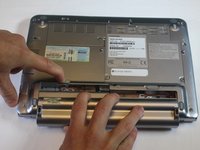
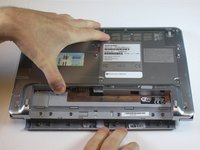
    3. Toshiba NB305 Keyboard  Replacement: step 3, image 1 of 2 Toshiba NB305 Keyboard  Replacement: step 3, image 2 of 2
      • Use your left hand to hold latch 2 to the left.

      • Simultaneously take the battery out with your right hand.

      Ask FixBot

      Add Comment

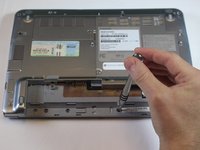
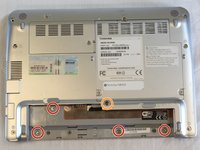
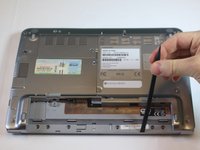
    1. Toshiba NB305 Keyboard  Replacement, Keyboard: step 4, image 1 of 2 Toshiba NB305 Keyboard  Replacement, Keyboard: step 4, image 2 of 2
      • Remove the four F4 screws and the F6 screw underneath battery.

      • 4mm Phillips-0 screws.

      • 6mm Phillips-0 screws.

      Ask FixBot

      Add Comment

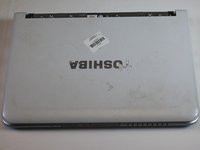
    2. Toshiba NB305 Keyboard  Replacement: step 5, image 1 of 3 Toshiba NB305 Keyboard  Replacement: step 5, image 2 of 3 Toshiba NB305 Keyboard  Replacement: step 5, image 3 of 3
      • Using a spudger, gently pry out on the plastic cover.

      • Turn it over and remove plastic cover on top of laptop with power button on it.

      Ask FixBot

      Add Comment

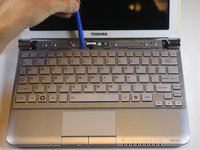
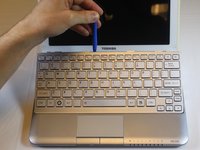
    3. Toshiba NB305 Keyboard  Replacement: step 6, image 1 of 2 Toshiba NB305 Keyboard  Replacement: step 6, image 2 of 2
      • Use the plastic opening tool in little notches above the keyboard

      • Gently pry up on the keyboard until it lifts up.

      • You might hear a click when the keyboard releases.

      Ask FixBot

      Add Comment

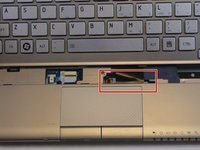
    4. Toshiba NB305 Keyboard  Replacement: step 7, image 1 of 1
      • Gently lift the keyboard up toward the screen.

      • Be careful! There is a cable still connected from the computer to the keyboard.

      Ask FixBot

      Add Comment

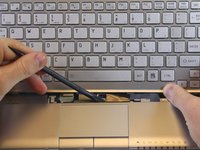
    5. Toshiba NB305 Keyboard  Replacement: step 8, image 1 of 2 Toshiba NB305 Keyboard  Replacement: step 8, image 2 of 2
      • The ribbon cable has a clip on each side holding it to the motherboard.

      • Using a spudger, press on the clips to release the cable.

      • The cable will slide out on its own when it is properly released.

      Ask FixBot

      Add Comment

Conclusion

To reassemble your device, follow these instructions in reverse order.

Cancel: I did not complete this guide.

One other person completed this guide.

Nuri Chung

Member since: 10/25/16

377 Reputation

3 Guides authored

Team

USF Tampa, Team 5-5, Lacy Fall 2016 Member of USF Tampa, Team 5-5, Lacy Fall 2016

USFT-LACY-F16S5G5

3 Members

60 Guides authored

0 Guide Comments

Add Comment

View Statistics:

Past 24 Hours: 0

Past 7 Days: 9

Past 30 Days: 41

All Time: 1,175