
Toshiba NB255-N250 Memory Replacement

Charles Myrick and 2 other contributors
Last updated on Aug 9, 2019
Views: 983
View statistics:
- Past 24 Hours:
- 0
- Past 7 Days:
- 12
- Past 30 Days:
- 63
- All Time:
- 983
Comments: 0
No one has left comments on this guide. Will you be first?
Go to guide commentsCompleted: 4 5
4 people have marked this guide "completed." Will you be next?
5 people have marked this guide "completed." Including you — great job!
Favorites: 1 2
1 person has favorited (and subscribed to) this guide. Will you be next?
2 people have favorited (and subscribed to) this guide — including you!
Community-Contributed Guide
An awesome member of our community made this guide. It was not created by iFixit staff.
What you need
Tools


-
-
-
To shut down the Toshiba NB255-N250, follow the instructions for your operating system or press and hold the power button until the screen turns off.
 Ask FixBot
-
-
-
Move the two battery retaining tabs to the opposite sides of the device, then pull the battery straight out the back of the device.
-
-
-
-
-
Remove the PH1 screw from the memory access panel.
-
-
-
Use a Metal Spudger or other opening tool to remove the memory access panel.
-
-
-
-
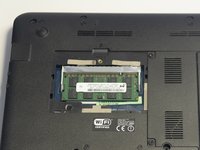
Remove the memory by moving the tabs on the left and right away from the ram.
-
When fully opened, the memory will pop up at a 45 degree angle. Pull the memory straight out by the sides and away from the system.
-
-


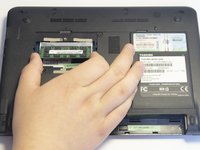
To reassemble your device, follow these instructions in reverse order.
Cancel: I did not complete this guide.
4 other people completed this guide.

