
Toshiba NB205 N330PK RAM Replacement

Mason McCaskill and 5 other contributors
Last updated on Oct 10, 2017
Views: 1.1K
View statistics:
- Past 24 Hours:
- 2
- Past 7 Days:
- 21
- Past 30 Days:
- 88
- All Time:
- 1,061
Comments: 0
No one has left comments on this guide. Will you be first?
Go to guide commentsCompleted: 1 2
1 person has marked this guide "completed." Will you be next?
2 people have marked this guide "completed." Including you — great job!
Favorites: 0 1
No one has favorited (and subscribed to) this guide. Will you be the first?
1 person has favorited (and subscribed to) this guide — and that's you!
Markup Mishap
This guide needs better markups. Help out by correcting or making some markup annotations.
Better Introduction
Improve this guide by completing or revising its introduction.
What you need


-
-
-
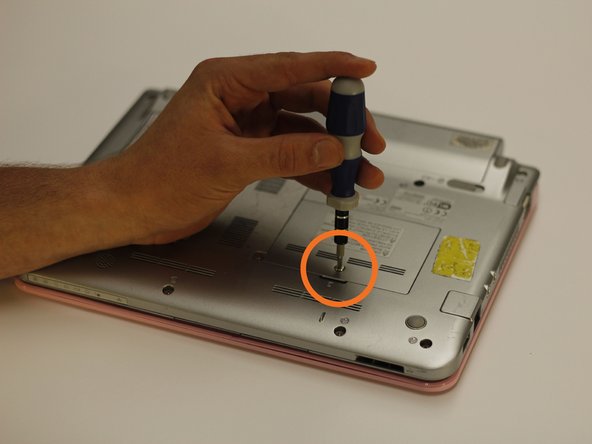
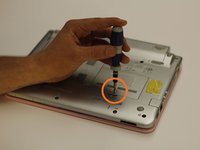
Use a bit driver and a Phillips #0 bit to remove the one 5 mm retaining screw.
-
Lift the panel up and out of the way.
 Ask FixBot
-
-
-
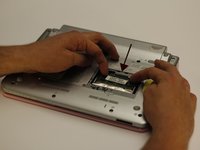
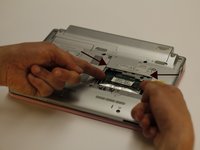
The RAM chip is secured by two retaining arms that run parallel with the chip. Gently pull these arms in opposite directions off of the chip.
-
After the retainer arms are free, push the chip towards the top of the netbook. This will free the chip for removal.
-
-
-
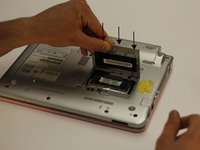
Push the replacement RAM into the original position.
-
Reattach both securing arms onto the sides of the RAM chip.
-
-
-
-
Place the panel back into the securing slots and let it rest in its original position.
-
With the bit driver and Phillips #0 bit, secure the panel down with one screw.
-
-



To reassemble your device, follow these instructions in reverse order.
Cancel: I did not complete this guide.
One other person completed this guide.

Team

Clemson, Team 14-2, Benson Fall 2013 Member of Clemson, Team 14-2, Benson Fall 2013
CLEM-BENSON-F13S14G2
3 Members
108 Guides authored
