
Toshiba Excite 7 Battery Replacement

osmel fermin and 7 other contributors
Last updated on Jan 15, 2026
Views: 2.3K
View statistics:
- Past 24 Hours:
- 3
- Past 7 Days:
- 21
- Past 30 Days:
- 107
- All Time:
- 2,254
Comments: 4
4 comments on steps.
Completed: 4 5
4 people have marked this guide "completed." Will you be next?
5 people have marked this guide "completed." Including you — great job!
Favorites: 1 2
1 person has favorited (and subscribed to) this guide. Will you be next?
2 people have favorited (and subscribed to) this guide — including you!
Better Introduction
Improve this guide by completing or revising its introduction.
Missing Details
Some of this guide's details are missing. Help users by adding tools, difficulty, or time.
Introduction
Go to step 1 ↓The battery is the main power source of your device. After replacing your battery you should receive up-to 13 hours of battery life assuming normal usage.
What you need
Tools


-
-
-
Remove the back cover.
-
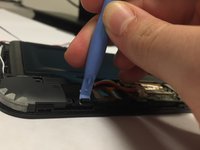
Work your fingernail or flat object under the cover’s seal. Start at the top right corner just above the front facing camera this is the device “Weak Spot”.
-
After you pry open the first clip slide the flat object along the perimeter of the cover until the cover is removable. You should hear the clips pop open.
 Ask FixBot
-
-
-
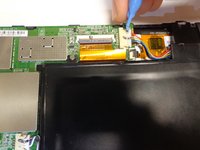
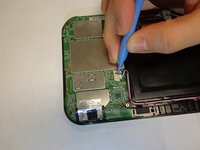
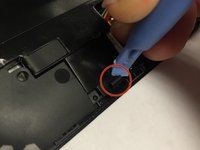
Remove any black tape from the device.
-
Keep the tape; you will need to put it back on when you are done.
-
-
-




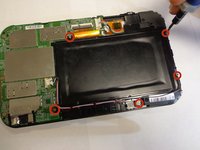
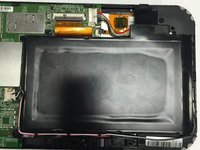


To reassemble your device, follow these instructions in reverse order.
Cancel: I did not complete this guide.
4 other people completed this guide.

Team

USF Tampa, Team 1-3, Tanski Winter 2015 Member of USF Tampa, Team 1-3, Tanski Winter 2015
USFT-TANSKI-W15S1G3
4 Members
72 Guides authored
