Free Shipping on Domestic Orders $75+

Toshiba Dynabook AX 53D Touchpad Replacement

What you need

    1. Toshiba Dynabook AX 53D Touchpad Replacement, Battery: step 1, image 1 of 1
      • Push apart the two spring loaded plastic tabs labeled #1 and #2.

      • Make sure to unplug any external power sources before working on the computer.

      Ask FixBot
      Add Comment

    2. Toshiba Dynabook AX 53D Touchpad Replacement: step 2, image 1 of 1
      • The battery is now easily removed by pulling up from the notched tab on the inside edge.

      Ask FixBot
      Add Comment

    1. Toshiba Dynabook AX 53D Touchpad Replacement, Keyboard: step 3, image 1 of 1
      • Using the #J1 bit, remove the 17 recessed 7.3 mm B6 screws from the underside of laptop and the 3.1 mm #J0 F3 screw inside the battery compartment.

      Ask FixBot

      Add Comment

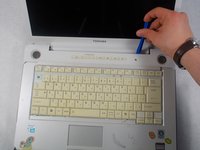
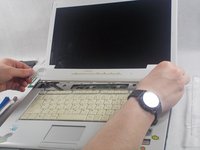
    2. Toshiba Dynabook AX 53D Touchpad Replacement: step 4, image 1 of 2 Toshiba Dynabook AX 53D Touchpad Replacement: step 4, image 2 of 2
      • Run the blue plastic opening tool underneath the media bezel and gently pry from the front panel.

      Ask FixBot

      Add Comment

    3. Toshiba Dynabook AX 53D Touchpad Replacement: step 5, image 1 of 1
      • Using the #J0 bit, remove the two 3.1 mm screws securing the top of the keyboard.

      Ask FixBot

      Add Comment

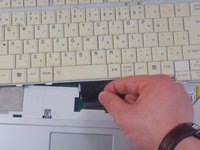
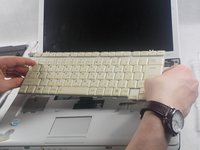
    4. Toshiba Dynabook AX 53D Touchpad Replacement: step 6, image 1 of 2 Toshiba Dynabook AX 53D Touchpad Replacement: step 6, image 2 of 2
      • Pop out the black plastic tab on either side of the ribbon cable. Holding the cable on each side, detach from laptop.

      Ask FixBot

      Add Comment

    1. Toshiba Dynabook AX 53D Touchpad Replacement, Touchpad: step 7, image 1 of 2 Toshiba Dynabook AX 53D Touchpad Replacement, Touchpad: step 7, image 2 of 2
      • Detach the white plastic end of the braided LCD cable.

      Ask FixBot

      Add Comment

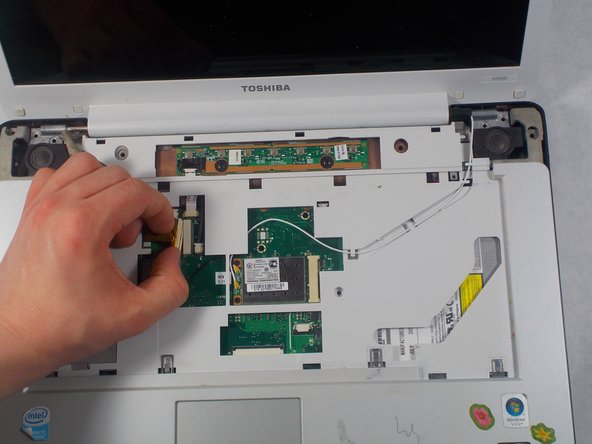
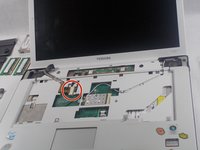
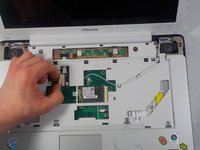
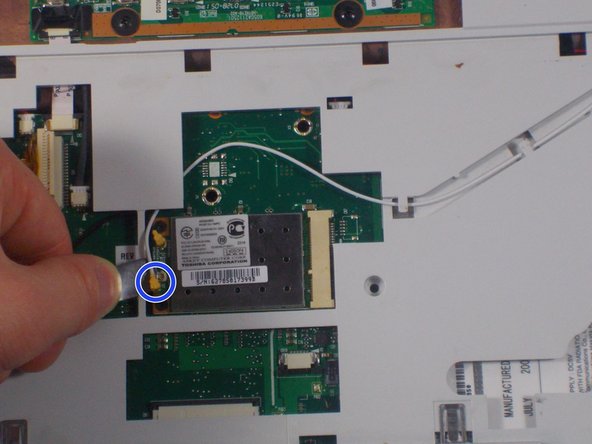
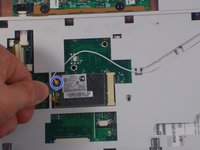
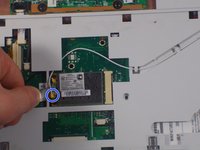
    2. Toshiba Dynabook AX 53D Touchpad Replacement: step 8, image 1 of 2 Toshiba Dynabook AX 53D Touchpad Replacement: step 8, image 2 of 2
      • Using the flat metal spatula tool, detach the thin white and black wires from their pop connectors.

      Ask FixBot

      Add Comment

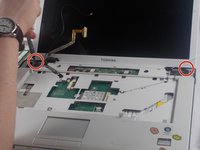
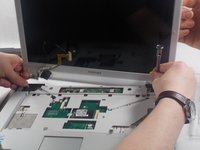
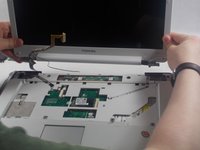
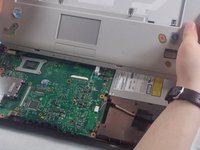
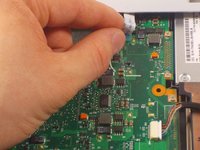
    3. Toshiba Dynabook AX 53D Touchpad Replacement: step 9, image 1 of 3 Toshiba Dynabook AX 53D Touchpad Replacement: step 9, image 2 of 3 Toshiba Dynabook AX 53D Touchpad Replacement: step 9, image 3 of 3
      • Using the #J1 Phillips Screwdriver, remove the four 7.6 mm screws that secure the monitor to rest of laptop.

      • The monitor can now be gently removed by lifting upwards.

      Ask FixBot

      Add Comment

    4. Toshiba Dynabook AX 53D Touchpad Replacement: step 10, image 1 of 1
      • Run the plastic opening tool along the crease between the top touchpad bezel and bottom section of laptop.

      Ask FixBot

      Add Comment

    5. Toshiba Dynabook AX 53D Touchpad Replacement: step 11, image 1 of 2 Toshiba Dynabook AX 53D Touchpad Replacement: step 11, image 2 of 2
      • Gently detach the touchpad bezel.

      • The ribbon cable may break if removed roughly.

      • Gently remove the white ribbon cable.

      Ask FixBot

      Add Comment

    6. Toshiba Dynabook AX 53D Touchpad Replacement: step 12, image 1 of 1
      • Remove the six 3.7 mm #J1 screws holding the touchpad in place.

      Ask FixBot

      Add Comment

    7. Toshiba Dynabook AX 53D Touchpad Replacement: step 13, image 1 of 1
      • Gently pull the ribbon cable to disconnect it from the touchpad.

      Ask FixBot

      Add Comment

    8. Toshiba Dynabook AX 53D Touchpad Replacement: step 14, image 1 of 1
      • Carefully pry up the touchpad with a plastic opening tool.

      Ask FixBot

      Add Comment

    9. Toshiba Dynabook AX 53D Touchpad Replacement: step 15, image 1 of 1
      • The touchpad has been removed.

      Ask FixBot

      Add Comment

Conclusion

To reassemble your device, follow these instructions in reverse order.

Cancel: I did not complete this guide.

Christopher

Member since: 03/20/17

525 Reputation

5 Guides authored

Team

0 Guide Comments

Add Comment

View Statistics:

Past 24 Hours: 0

Past 7 Days: 7

Past 30 Days: 42

All Time: 862