Introduction
Have you been experiencing distorted sound or muffled audio with your Toptro TR23? If so here is a step by step guide to replace the projector’s speaker. All you will need is the iFixit Opening Tool and a #1 Phillips Screwdriver heads in order to remove the screws involved in this replacement.
Before starting this guide I would make sure the wholes in the casing, that allow sound from the speaker to leave the projector, are free from debris. That where you have mounted the projector is not hindering the sound from being projected across the area you area you are using the projector and that, once the case is removed, the speaker cable is securely mounted to the motherboard.
Before attempting this guide make sure that your projector is unplugged from its power source and is on level sturdy work surface.
What you need
-
-
Set the projector on its side so the the front is facing to your left.
-
Insert an opening tool into the seam between the black chassis and the silver case.
-
Pry around the perimeter until the case fully releases.
-
Remove the case.
 Ask FixBot
-
-
-
-
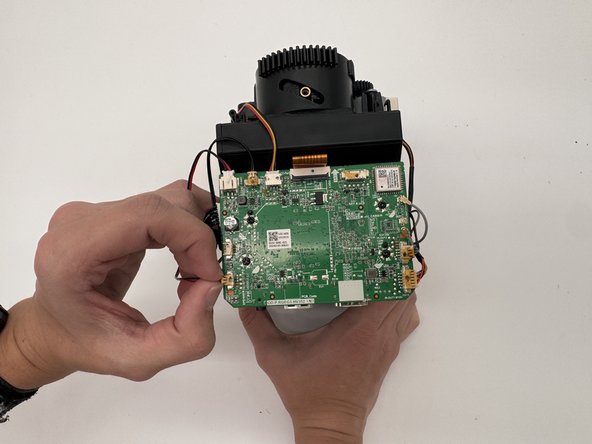
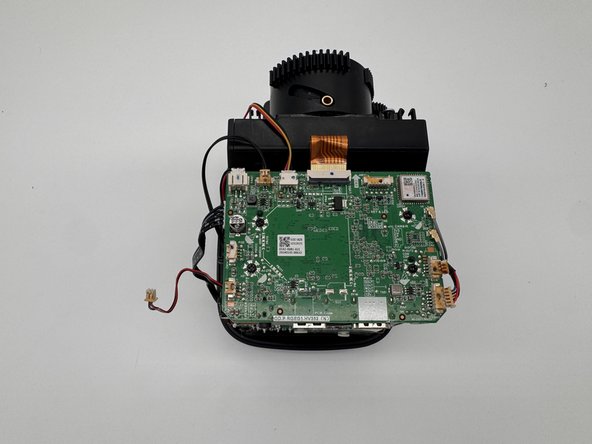
Disconnect the motherboard speaker connector on the lower-left side of the motherboard.
-
-
-
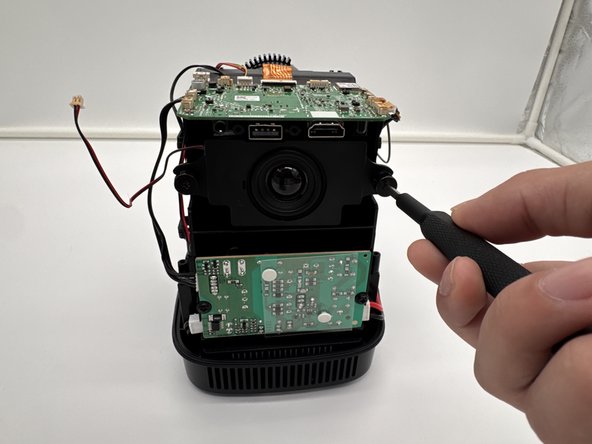
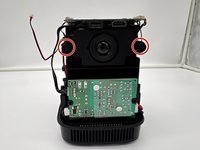
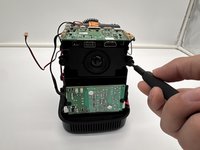
Remove the two 18.8 mm screws that secure the speaker to the Toptro TR23 with a Phillips #1 screwdriver.
-
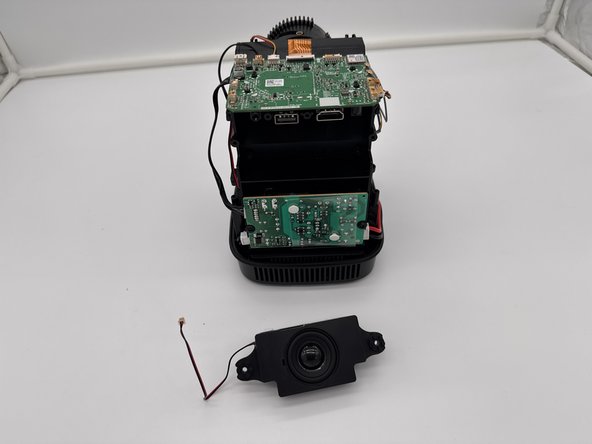
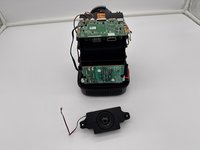
Remove the speaker.
-




To reassemble your device, follow the above steps in reverse order.
Take your e-waste to an R2 or e-Stewards certified recycler.
Repair didn’t go as planned? Try some basic troubleshooting or ask our Answers community for help.

Team

University of North Texas, Team 6-2, Kilpatrick Fall 2024 Member of University of North Texas, Team 6-2, Kilpatrick Fall 2024
UNT-KILPATRICK-F24S6G2
4 Members
5 Guides authored
