
Toloco EM26 Small Motherboard Replacement

Zachary Olsen and 3 other contributors
Last updated on Dec 29, 2023
Views: 1.3K
View statistics:
- Past 24 Hours:
- 5
- Past 7 Days:
- 26
- Past 30 Days:
- 115
- All Time:
- 1,303
Comments: 3
3 guide comments.
Go to guide commentsCompleted: 0 1
No one has marked this guide "completed." Will you be the first?
1 person has marked this guide "completed." It's you — great job!
Favorites: 0 1
No one has favorited (and subscribed to) this guide. Will you be the first?
1 person has favorited (and subscribed to) this guide — and that's you!
Introduction
Go to step 1 ↓Is your massage gun not changing speed settings? This guide explains how to remove and replace the small motherboard located under the top cover plate. For this repair you will need a black spudger and phillips #00 screwdriver.
What you need
Tools
-
Spudger4.9


-
-
-
Remove rubber pieces at the bottom of the massage gun’s barrel with the spudger by inserting it between the rubber and the plastic and use the tip of the spudger to pry the rubber out.
 Ask FixBot
-
-
-
Remove the two 13.48 mm screws on the bottom of the massage gun with a Phillips #00 screwdriver.
-
-
-
Remove the 8.11 mm small black screw on the edge of circular plate with a Phillips #00 Screwdriver.
-
-
-


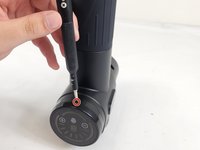
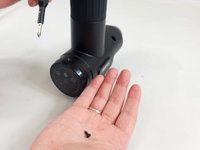


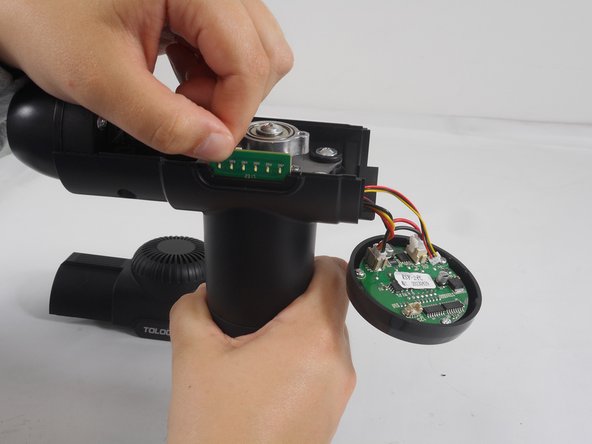
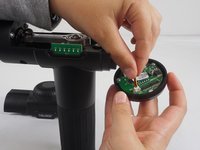
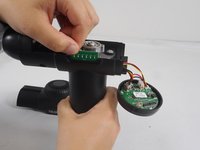


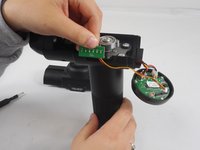
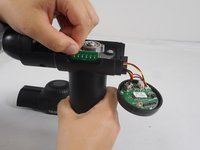
To reassemble your device, follow these instructions in reverse order.

Team

University of New Orleans, Team 3-4, McDonald Fall 2023 Member of University of New Orleans, Team 3-4, McDonald Fall 2023
UNO-MCDONALD-F23S3G4
3 Members
48 Guides authored
3 Guide Comments
How about large mother board replacement part?For a Toloco EM26 (2) connector’s on mother board.Display shows 00-99 from left to right
What i did was disconnect the motherboard and wired the motor direct to the 12v power board. Cut the connector with Red, yellow, black wire to motherboard (12v power board). then cut the red, black connector to motherboard (motor). Then wire reds and blacks together (disable yellow), should fire up max speed but it works. They sale 12v dimmer switches but probably not worth doing because they are expensive.
Where can I buy a spare replacement for the motherboard
