
Toastmaster TMHP2 Disassembly

William Xia and 2 other contributors
Last updated on Dec 15, 2021
Views: 626
View statistics:
- Past 24 Hours:
- 2
- Past 7 Days:
- 19
- Past 30 Days:
- 71
- All Time:
- 626
Comments: 0
No one has left comments on this guide. Will you be first?
Go to guide commentsCompleted: 0 1
No one has marked this guide "completed." Will you be the first?
1 person has marked this guide "completed." It's you — great job!
Favorites: 0 1
No one has favorited (and subscribed to) this guide. Will you be the first?
1 person has favorited (and subscribed to) this guide — and that's you!
Action Shots
Be an action hero! This guide needs images that better demonstrate how to perform specific actions.
Needs Better Images
Better photos will improve this guide. Help out by taking, editing, or uploading new ones!
Introduction
Go to step 1 ↓If your Toastmaster TMHP2 Hot Pot is having trouble properly cooking, use this guide to get a lay out of the pot’s internal components. From there, you should be able to determine which component is defective.
Your hot pot receives power from a typical wall outlet through its white cord. A faulty cord will produce no power to the pot.
Be sure to test your hot pot before disassembly in order to confirm that it’s either working or not working. If the base appears to be heating up after the heat dial is turned, your hot pot is working! If not however, you will need to check the inside to determine the source for the hot pot’s defectivity.
Before disassembly, make sure the device is unplugged and turned off (not hot). Be careful when disassembling as there may be some pointy parts.
What you need
Tools


-
-
-
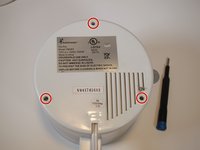
Using the Phillips #1 screwdriver, remove the three 11 mm screws from the bottom of the device.
-
-
-
-
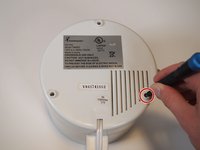
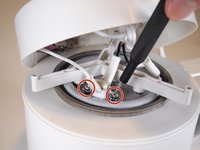
Using the Phillips #1 screwdriver, remove the two 8 mm screws securing the thermal switch.
-
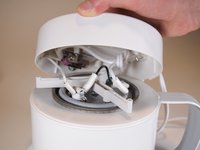
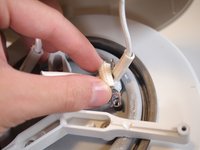
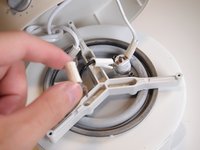
Remove the bracket securing the thermal switch from the device.
-
-
-
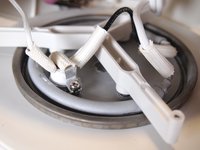
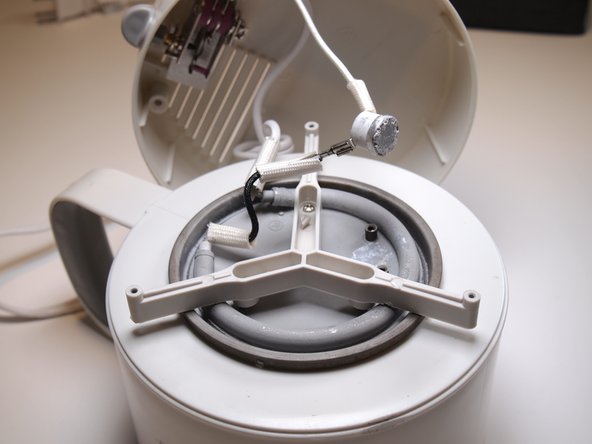
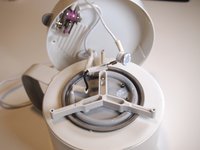
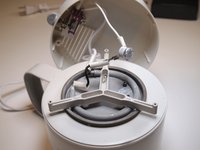
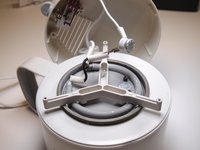
Congratulations! You have disassembled the hot pot and can now see its internal compnents.
-

 Ask FixBot








To reassemble your device, follow these instructions in reverse order.

Team

Tufts University School of Engineering, Team 1-10, Bell Fall 2021 Member of Tufts University School of Engineering, Team 1-10, Bell Fall 2021
TUFTS-BELL-F21S1G10
2 Members
12 Guides authored
