
Television Coaxial Connector Replacement

brant and 7 other contributors
Last updated on Mar 7, 2024
Views: 53K
View statistics:
- Past 24 Hours:
- 9
- Past 7 Days:
- 43
- Past 30 Days:
- 214
- All Time:
- 52,697
Comments: 7
1 comment on steps, 6 guide comments.
Go to guide commentsCompleted: 11 12
11 people have marked this guide "completed." Will you be next?
12 people have marked this guide "completed." Including you — great job!
Favorites: 28 29
28 people have favorited (and subscribed to) this guide. Will you be next?
29 people have favorited (and subscribed to) this guide — including you!
Community-Contributed Guide
An awesome member of our community made this guide. It was not created by iFixit staff.
Introduction
Go to step 1 ↓I've repaired this problem several times using this method and it works well.
What you need
Tools


-
-
-
Kids pulled the cable connector off the back of the hello kitty TV
 Ask FixBot
-
-
-
Remove screws from back, there's 5 in this case circled in red.
-
Notice the parts container highlighted in orange always a good idea for screws.
-
Cookie circled in pink for good measure.
-
-
-
High voltage areas are outlined in red.
-
Delicate sensitive areas outlined in blue.
-
-
-
remove both covers on video input box, use a small prying tool if necessary, but you should be able to remove them by hand as seen here.
-
-
Tool used on this step:Desoldering Pump$3.99
-
Use a soldering iron, and solder sucker to remove excess solder from the connector area. You can also use solder-absorbing braided wick.
-
-
-
identify, where the centre pin connector was ripped from the board.
-
Use needle-nose pliers to straighten out the tin bracket as much as possible. It does not need to be perfect, but this helps with the alignment of the connector to the back of the tv cover.
-
-
-
Align the connector, ensuring the center pin can reach the the spot on the board where it needs to be re-connected.
-
Solder the barrel of the connector to the metal bracket first, try not to let it get too hot. You may want to use a solder gun with dual heat of at least 50 watts for this part.
-
When that's done don't forget to solder the center pin to the board using as little solder as possible, to ensure there's no grounding to the metal cover.
-
-
-
-
Re-seat both covers using needle nose pliers to ensure they're seated properly.
-
-


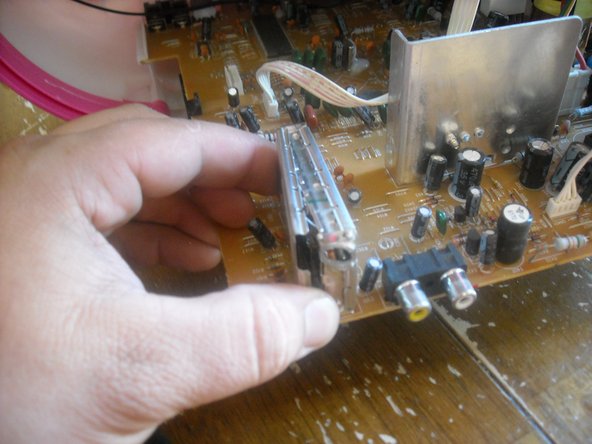


To reassemble your device, follow these instructions in reverse order.
Cancel: I did not complete this guide.
11 other people completed this guide.

6 Guide Comments
cara memperbaiki warna
where can i get the connectors?
C'est très intéressant, Mais seulement si vous pouvez traduire en français
11.11.16 Francais en anglaise= French to english. It's very interesting. I only wish u'd translate into French!
