
Table Fan Blades Replacement

Cora Diehl and one other contributor
Last updated on Jun 11, 2021
Views: 2.9K
View statistics:
- Past 24 Hours:
- 2
- Past 7 Days:
- 22
- Past 30 Days:
- 123
- All Time:
- 2,924
Comments: 0
No one has left comments on this guide. Will you be first?
Go to guide commentsCompleted: 1 2
1 person has marked this guide "completed." Will you be next?
2 people have marked this guide "completed." Including you — great job!
Favorites: 0 1
No one has favorited (and subscribed to) this guide. Will you be the first?
1 person has favorited (and subscribed to) this guide — and that's you!
Introduction
Go to step 1 ↓If your 6-8 inch Personal Table Fan has been lagging or the blades have broke. Use this guide to replace the blades in your fan.
Before using this guide, make sure your fan works when plugged in. If it does not, the blades are not the issue, the motor is and this guide will not fix the issue.
Before beginning, make sure to unplug your fan.
What you need
Tools


-
-
-
Use a prying tool to loosen the front cover.
-
After it is pried loose, remove the cover.
 Ask FixBot
-
-
-
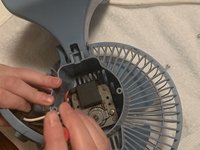
Remove two 12.7 mm Phillips #2 screws from the back cover.
-
Take off the back cover.
-
-
-
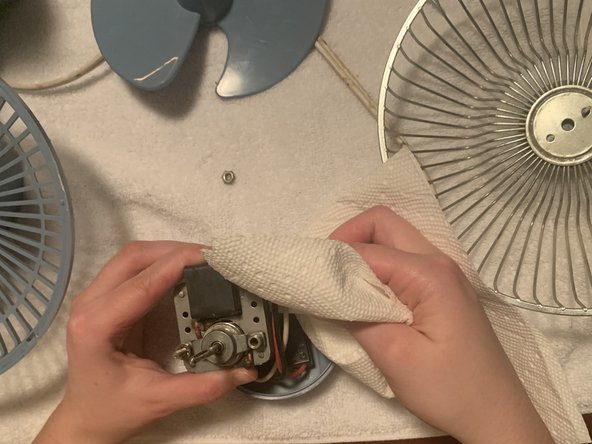
While holding the back of the fan, pull the blades.
-
Take off the old blades and put them aside.
-
-
-
-
Place the new blade onto the metal rod on the front of the fan.
-
Push the blades onto the rod so that it is sturdy.
-
Replace the front cover.
-
-





Cancel: I did not complete this guide.
One other person completed this guide.

Team

Eastern Washington University, Team S1-G18, Carnegie Winter 2021 Member of Eastern Washington University, Team S1-G18, Carnegie Winter 2021
EWU-CARNEGIE-W21S1G18
1 Member
12 Guides authored
