Free Shipping on Domestic Orders $75+

TRESWAVE TW102 Battery Replacement

What you need

  1. TRESWAVE TW102 Battery Replacement, Remove the back.: step 1, image 1 of 3 TRESWAVE TW102 Battery Replacement, Remove the back.: step 1, image 2 of 3 TRESWAVE TW102 Battery Replacement, Remove the back.: step 1, image 3 of 3
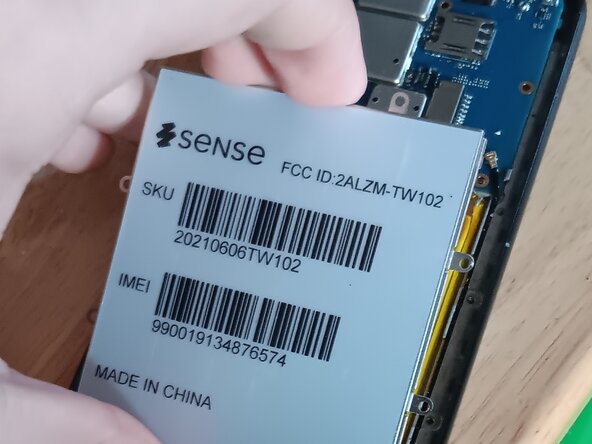
    • Remove the back of the phone. This can be done with your hands.

    • Remove the screws to remove the second layer of protection, and the battery cover.

    • Be careful when taking off the second layer. The fingerprint sensor needs to be unplugged. Lift the cover a bit, unplug and sensor and keep going. Do not be forceful.

  2. TRESWAVE TW102 Battery Replacement, Remove the battery cover.: step 2, image 1 of 3 TRESWAVE TW102 Battery Replacement, Remove the battery cover.: step 2, image 2 of 3 TRESWAVE TW102 Battery Replacement, Remove the battery cover.: step 2, image 3 of 3
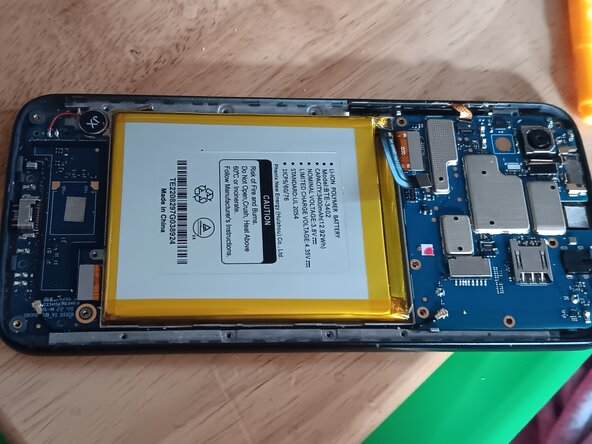
    • Take off the battery cover, you can do this with your hands.

    • Be CAREFUL! Puncturing the battery can result in an explosion and/or fire. Continue at your own risk.

    • The battery has a very strong adhesive. Go slow and be patient so you don't puncture the battery.

Conclusion

Put the screws all back and place and everything should be simple to put back together.

2 other people completed this guide.

Kyeler W

Member since: 03/04/25

2,930 Reputation

15 Guides authored

0 Guide Comments

Add Comment

View Statistics:

Past 24 Hours: 1

Past 7 Days: 7

Past 30 Days: 29

All Time: 438