
Sylvania SDVD9004 Screen Replacement

Sarah Henry and 4 other contributors
Last updated on Jan 5, 2024
Views: 1.1K
View statistics:
- Past 24 Hours:
- 2
- Past 7 Days:
- 17
- Past 30 Days:
- 79
- All Time:
- 1,100
Comments: 0
No one has left comments on this guide. Will you be first?
Go to guide commentsCompleted: 0 1
No one has marked this guide "completed." Will you be the first?
1 person has marked this guide "completed." It's you — great job!
Favorites: 0 1
No one has favorited (and subscribed to) this guide. Will you be the first?
1 person has favorited (and subscribed to) this guide — and that's you!
Incorrect Tools
Help make this guide better by using the correct tools in images and/or text.
Introduction
Go to step 1 ↓This guide uses incorrect tools. Use an ESD safe tool, such as a nylon spudger, to complete steps that involve delicate internal components.
What you need
Tools


-
-
-
Remove ten 7mm Phillips #0 screws.
-
Remove four 5mm Phillips #0 screws.
 Ask FixBot
-
-
-
-
-
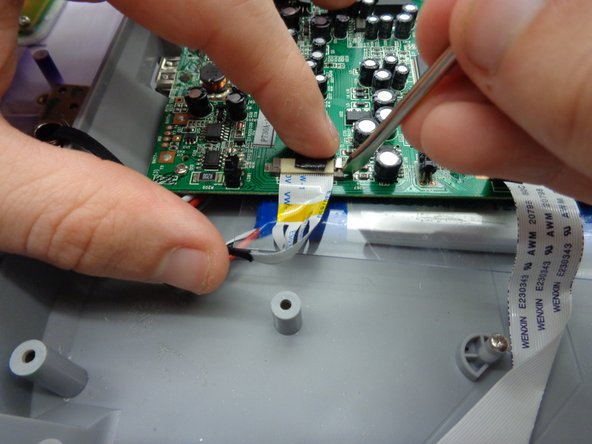
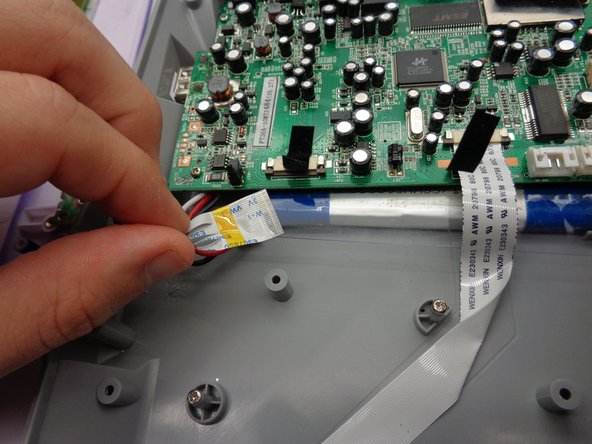
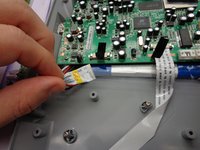
Disconnect ribbon
-
Rotate screwdriver to peel sticker from ribbon.
-
Place spudger head behind gray tabs on port.
-
Press outward to disengage tab.
-
Repeat on other side.
-
Slide out ribbon.
-
-
-
-
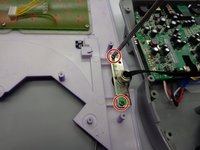
Using Philips head screwdriver, remove the two 7 mm screws.
-
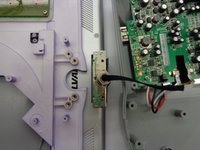
Slide off top panel.
-
-




To reassemble your device, follow these instructions in reverse order.

Team

Baylor, Team 5-10, Williams Fall 2016 Member of Baylor, Team 5-10, Williams Fall 2016
BU-WILLIAMS-F16S5G10
2 Members
60 Guides authored
