Free Shipping on Domestic Orders $75+

Swann Doorphone Video Intercom Microphone Replacement

What you need

    1. Swann Doorphone Video Intercom Microphone Replacement, Microphone: step 1, image 1 of 3 Swann Doorphone Video Intercom Microphone Replacement, Microphone: step 1, image 2 of 3 Swann Doorphone Video Intercom Microphone Replacement, Microphone: step 1, image 3 of 3
      • Flip the monitor of the Swann Doorphone Video Intercom over so that the underside is facing up.

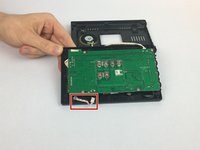
      • Remove the six 2 mm corner screws from the back plate of the monitor using the JIS #0 screwdriver.

      Ask FixBot

      Add Comment

    2. Swann Doorphone Video Intercom Microphone Replacement: step 2, image 1 of 2 Swann Doorphone Video Intercom Microphone Replacement: step 2, image 2 of 2
      • Once the screws are removed, grip the black back plate of the monitor and remove from the monitor.

      • The back plate will still be connected to the monitor with a cord of wires that should not be removed.

      Ask FixBot

      Add Comment

    3. Swann Doorphone Video Intercom Microphone Replacement: step 3, image 1 of 3 Swann Doorphone Video Intercom Microphone Replacement: step 3, image 2 of 3 Swann Doorphone Video Intercom Microphone Replacement: step 3, image 3 of 3
      Tool used on this step:
      Tweezers
      $4.99
      Buy
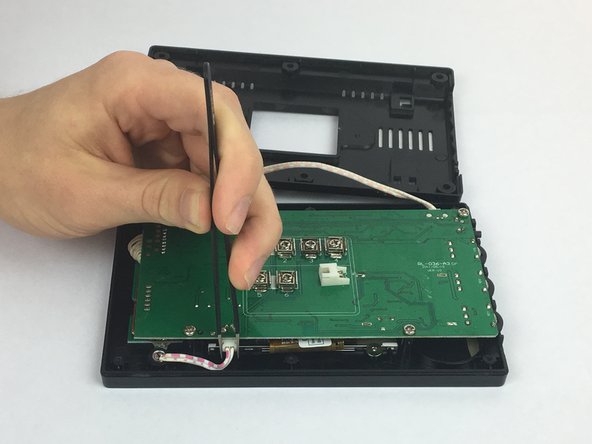
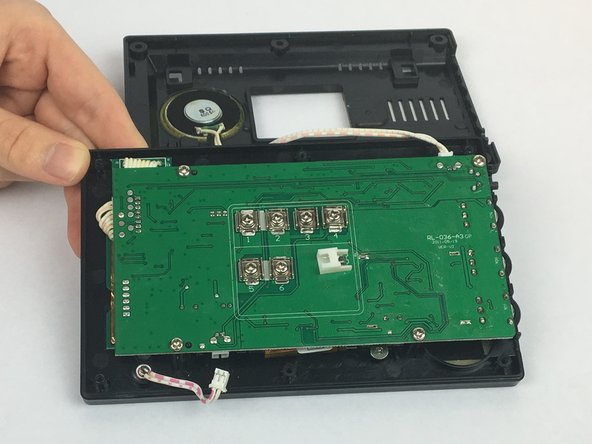
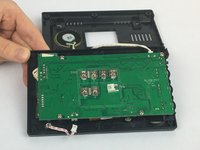
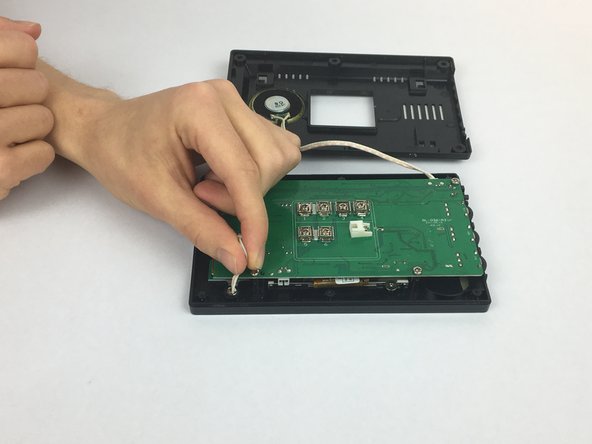
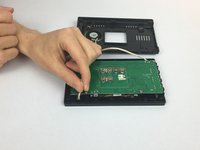
      • Using the precision tweezers, grab the sides of the white connector at the bottom of the green board.

      • Pull the white connector towards you to disconnect the board.

      Ask FixBot

      Add Comment

    4. Swann Doorphone Video Intercom Microphone Replacement: step 4, image 1 of 3 Swann Doorphone Video Intercom Microphone Replacement: step 4, image 2 of 3 Swann Doorphone Video Intercom Microphone Replacement: step 4, image 3 of 3
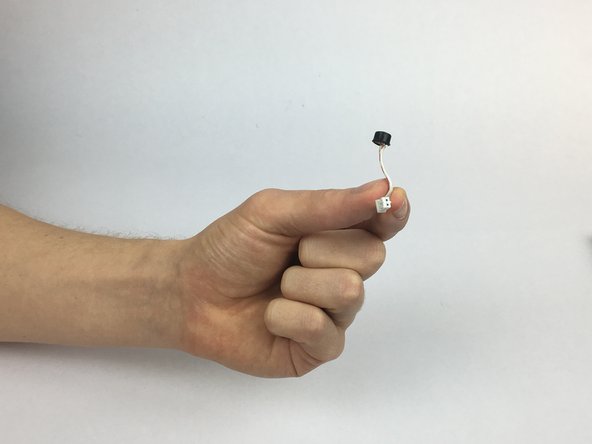
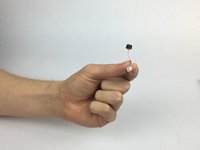
      • Grip the other end of the white connector cable towards the base of the black microphone.

      • Pull gently towards your body to remove the microphone.

      Ask FixBot

      Add Comment

Conclusion

To reassemble your device, follow these instructions in reverse order.

Cancel: I did not complete this guide.

Emily Stenke

Member since: 02/14/18

555 Reputation

4 Guides authored

Team

USF Tampa, Team S2-G4, Eyestone Spring 2018 Member of USF Tampa, Team S2-G4, Eyestone Spring 2018

USFT-EYESTONE-S18S2G4

4 Members

60 Guides authored

0 Guide Comments

Add Comment

View Statistics:

Past 24 Hours: 1

Past 7 Days: 5

Past 30 Days: 21

All Time: 769