Free Shipping on Domestic Orders $75+

Surface Laptop Studio Headphone Jack Replacement

What you need

  1. Surface Laptop Studio Headphone Jack Replacement, Lower Case: step 1, image 1 of 1
    Tool used on this step:
    Tweezers
    $4.99
    Buy
    • Remove the rubber cosmetic strip along the outside edge of the back plate with tweezers.

    Ask FixBot

    Add Comment

  2. Surface Laptop Studio Headphone Jack Replacement: step 2, image 1 of 2 Surface Laptop Studio Headphone Jack Replacement: step 2, image 2 of 2
    • Use a hair dryer to lightly heat the rubber feet to soften the adhesive securing them to the case.

    • Remove the two rubber feet on the lower case with an opening tool.

    • If you intend to reuse the rubber feet, take care not to warp, stretch, or tear them during removal.

    Ask FixBot

    Add Comment

  3. Surface Laptop Studio Headphone Jack Replacement: step 3, image 1 of 1
    • Remove the two screws with a T3 Torx screwdriver.

    Ask FixBot

    Add Comment

  4. Surface Laptop Studio Headphone Jack Replacement: step 4, image 1 of 1
    • Remove the seven screws securing the lower case with a T3 Torx screwdriver.

    Ask FixBot

    Add Comment

  5. Surface Laptop Studio Headphone Jack Replacement: step 5, image 1 of 2 Surface Laptop Studio Headphone Jack Replacement: step 5, image 2 of 2
    • Lift the lower case gently and set it above the device.

    • Take care not to strain the battery cable as you move the lower case.

    Ask FixBot

    Add Comment

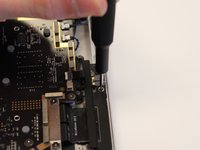
  6. Surface Laptop Studio Headphone Jack Replacement, Surface Laptop Studio Battery Disconnection: step 6, image 1 of 2 Surface Laptop Studio Headphone Jack Replacement, Surface Laptop Studio Battery Disconnection: step 6, image 2 of 2
    • Disconnect the battery cable by lifting the pull tab until it "clicks."

    Ask FixBot

    Add Comment

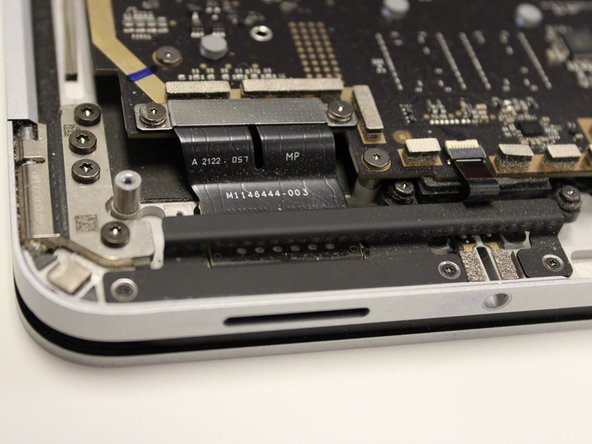
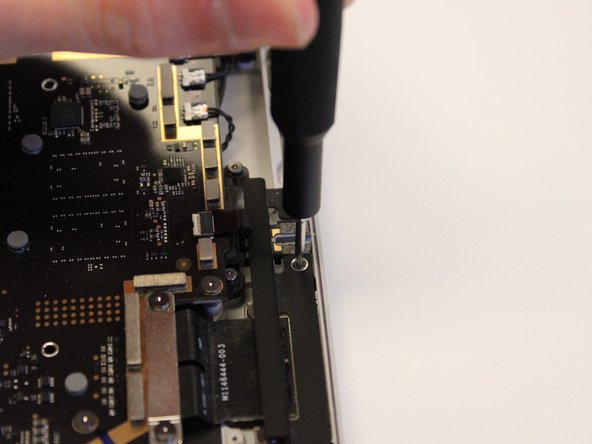
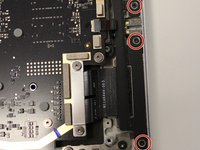
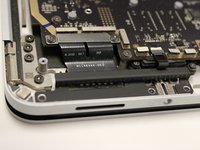
  7. Surface Laptop Studio Headphone Jack Replacement, Headphone Jack: step 7, image 1 of 3 Surface Laptop Studio Headphone Jack Replacement, Headphone Jack: step 7, image 2 of 3 Surface Laptop Studio Headphone Jack Replacement, Headphone Jack: step 7, image 3 of 3
    • Remove the left I/O bracket by unscrewing the the 3 M1109237 Screws with your T3 Torx screwdriver.

    Ask FixBot

    Add Comment

  8. Surface Laptop Studio Headphone Jack Replacement: step 8, image 1 of 1
    • Remove the two M1168360 screws on the headphone jack with your T3 Torx screwdriver.

    Ask FixBot

    Add Comment

  9. Surface Laptop Studio Headphone Jack Replacement: step 9, image 1 of 1
    • Flip up the headphone jack's ZIF connector locking flap.

    • Remove the ribbon cable from the port.

    Ask FixBot

    Add Comment

  10. Surface Laptop Studio Headphone Jack Replacement: step 10, image 1 of 1
    Tool used on this step:
    Tweezers
    $4.99
    Buy
    • Lift the headphone jack up and out with your tweezers.

    Ask FixBot

    Add Comment

Conclusion

To reassemble your device, follow these instructions in reverse order.

Cancel: I did not complete this guide.

0 Guide Comments

Add Comment

View Statistics:

Past 24 Hours: 0

Past 7 Days: 3

Past 30 Days: 25

All Time: 733