
Super Nintendo Game Cartridge Battery Replacement

Mohamad Mohamad and 2 other contributors
Last updated on Jun 16, 2026
Views: 6.7K
View statistics:
- Past 24 Hours:
- 9
- Past 7 Days:
- 57
- Past 30 Days:
- 258
- All Time:
- 6,666
Comments: 0
No one has left comments on this guide. Will you be first?
Go to guide commentsCompleted: 2 3
2 people have marked this guide "completed." Will you be next?
3 people have marked this guide "completed." Including you — great job!
Favorites: 1 2
1 person has favorited (and subscribed to) this guide. Will you be next?
2 people have favorited (and subscribed to) this guide — including you!
Introduction
Go to step 1 ↓This is a step by step guide on how to disassemble and replace a faulty battery on a Super Nintendo game cartridge circuit board. After a period of time, these game cartridge batteries fail and in many cases, prevent games from saving their states, rendering some games unplayable. So, the aim of this guide is to help you maintain the functionality of your game, instead of throwing out a perfectly good game.
What you need
Tools


-
-
-
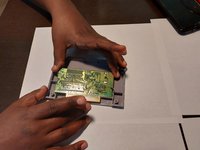
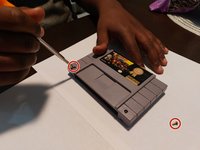
Remove the two 3.8mm security screws from the front panel of the game cartridge using a 3.8mm Gamebit screwdriver to reveal the circuit board.
 Ask FixBot
-
-
-
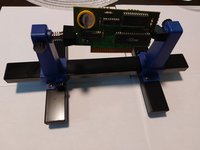
Mount the circuit board on to the adjustable circuit board holder.
-
Desolder the two soldering points on the back of the circuit board holding the battery in place to remove the battery.
-
-
-
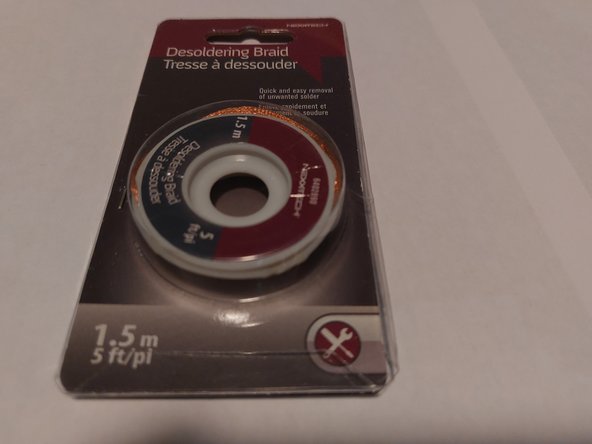
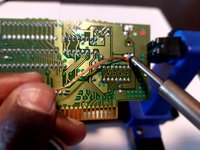
Use the soldering iron and the de-soldering braid to remove any excess soldering adhesive.
-
-
-
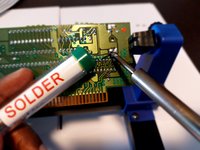
Use the soldering iron with the soldering wire on the two soldering points to adhere the new battery to the circuit board.
-
-
-
-
Place the circuit board back into the cartridge and screw the front panel back in place with the 3.8mm security screws using a 3.8mm Gamebit screwdriver.
-
-






Cancel: I did not complete this guide.
2 other people completed this guide.
