Free Shipping on Domestic Orders $75+

SteelSeries Arctis Pro Plus GameDAC Secondary Button Replacement

What you need

  1. SteelSeries Arctis Pro Plus GameDAC Secondary Button Replacement, GameDAC Secondary Button: step 1, image 1 of 3 SteelSeries Arctis Pro Plus GameDAC Secondary Button Replacement, GameDAC Secondary Button: step 1, image 2 of 3 SteelSeries Arctis Pro Plus GameDAC Secondary Button Replacement, GameDAC Secondary Button: step 1, image 3 of 3
    • Remove the plastic cover using the iFixit opening tool to pry the cover open.

    • Insert opening picks to keep the cover open as you work your way around the GameDAC.

    • Pop the cover off.

    Ask FixBot

    Add Comment

  2. SteelSeries Arctis Pro Plus GameDAC Secondary Button Replacement: step 2, image 1 of 2 SteelSeries Arctis Pro Plus GameDAC Secondary Button Replacement: step 2, image 2 of 2
    • Remove the control wheel from the GameDAC by pulling on the knob.

    Ask FixBot

    Add Comment

  3. SteelSeries Arctis Pro Plus GameDAC Secondary Button Replacement: step 3, image 1 of 2 SteelSeries Arctis Pro Plus GameDAC Secondary Button Replacement: step 3, image 2 of 2
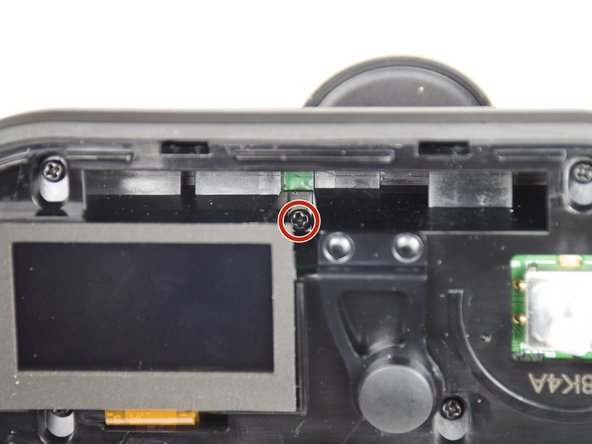
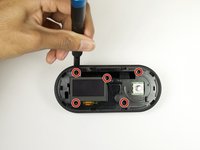
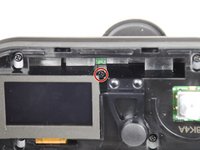
    • Remove the five 6mm screws using the Phillips #0 driver head.

    • There is one screw hidden on the upper right-hand side of the display.

    Ask FixBot

    Add Comment

  4. SteelSeries Arctis Pro Plus GameDAC Secondary Button Replacement: step 4, image 1 of 2 SteelSeries Arctis Pro Plus GameDAC Secondary Button Replacement: step 4, image 2 of 2
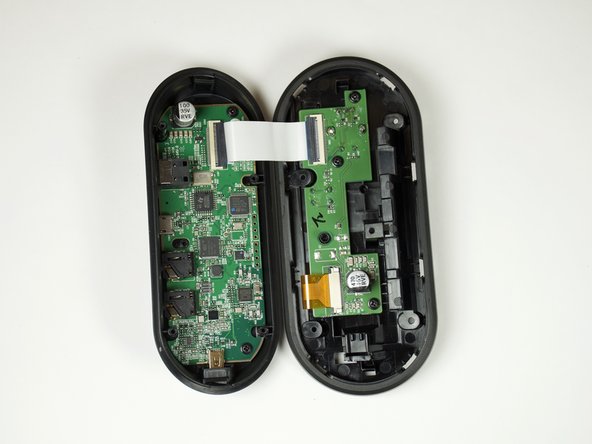
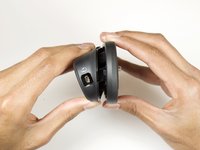
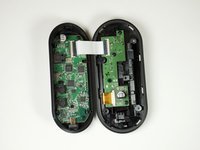
    • Hold the sides of the GameDAC and pull apart.

    • Don't pull the two sides apart quickly or forcefully to avoid tearing the wire connection between the two boards.

    Ask FixBot

    Add Comment

  5. SteelSeries Arctis Pro Plus GameDAC Secondary Button Replacement: step 5, image 1 of 1
    • Remove the three 4mm screws from the circuit board using the Phillips #0 driver head.

    Ask FixBot

    Add Comment

  6. SteelSeries Arctis Pro Plus GameDAC Secondary Button Replacement: step 6, image 1 of 2 SteelSeries Arctis Pro Plus GameDAC Secondary Button Replacement: step 6, image 2 of 2
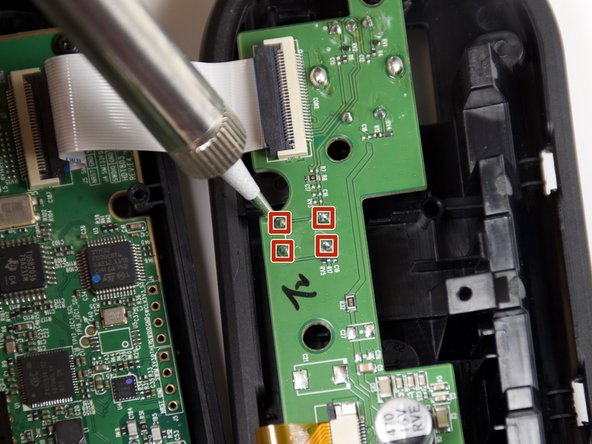
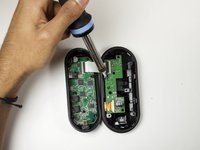
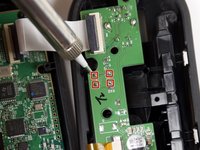
    • Desolder the four button pins from the board to remove the button.

    • For help desoldering connections, follow this useful guide on How To Solder and Desolder Connections.

    • Use caution when soldering. The heated tip may cause damage to the board or burn you.

    Ask FixBot

    Add Comment

Conclusion

To reassemble your device, follow these instructions in reverse order.

Cancel: I did not complete this guide.

3 other people completed this guide.

Kyle Chang

Member since: 01/24/19

1,170 Reputation

7 Guides authored

Team

Cal Poly, Team S18-G1, White Winter 2019 Member of Cal Poly, Team S18-G1, White Winter 2019

CPSU-WHITE-W19S18G1

4 Members

22 Guides authored

0 Guide Comments

Add Comment

View Statistics:

Past 24 Hours: 2

Past 7 Days: 5

Past 30 Days: 28

All Time: 1,627