Introduction
If the mute button is stuck or has stopped working this is a replacement for the key cap on it.
Caution: Ensure hands are dry. Moisture could mess up the wiring. Be gentle and remove necessary pieces carefully to not break the device.
What you need
-
-
Remove the ear cushion by pulling the edge up and towards yourself
-
Repeat this motion all the way around the ear cushion until it comes free
 Ask FixBot
-
-
-
Use a Phillips #0 screwdriver to remove the 3 case screws.
-
Remove the driver assembly from the rest of the housing
-
-
-
-
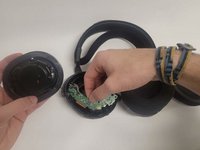
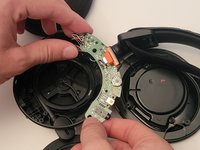
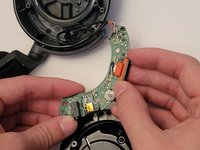
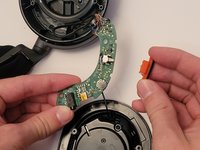
Remove the circuit board by pushing the scroll wheel out of the board and pulling it from the other side.
-




To reassemble your device, follow these instructions in reverse order.

Team

Western Carolina University, Team 1-1, Virtue Fall 2022 Member of Western Carolina University, Team 1-1, Virtue Fall 2022
WCU-VIRTUE-F22S1G1
4 Members
6 Guides authored
2 Guide Comments
I am pretty sure I have a security torx screw here..... Come across that? Anyone know the size??
I was able to open mine with a size 1 torx screw bit for mine.
